> ## Documentation Index
> Fetch the complete documentation index at: https://docs.zeroruntime.ai/llms.txt
> Use this file to discover all available pages before exploring further.
# Variables
> Pass per-call values such as a customer's name into your prompts and messages.
Custom variables let one agent personalize every call. Define a variable once, use it as `{{variable_name}}` in your system prompt, welcome message, or final response, and pass its value when the agent is dispatched.
## Define variables
Select **Variables** in the builder header to open **Custom Variables**, then select **Add Variable**.
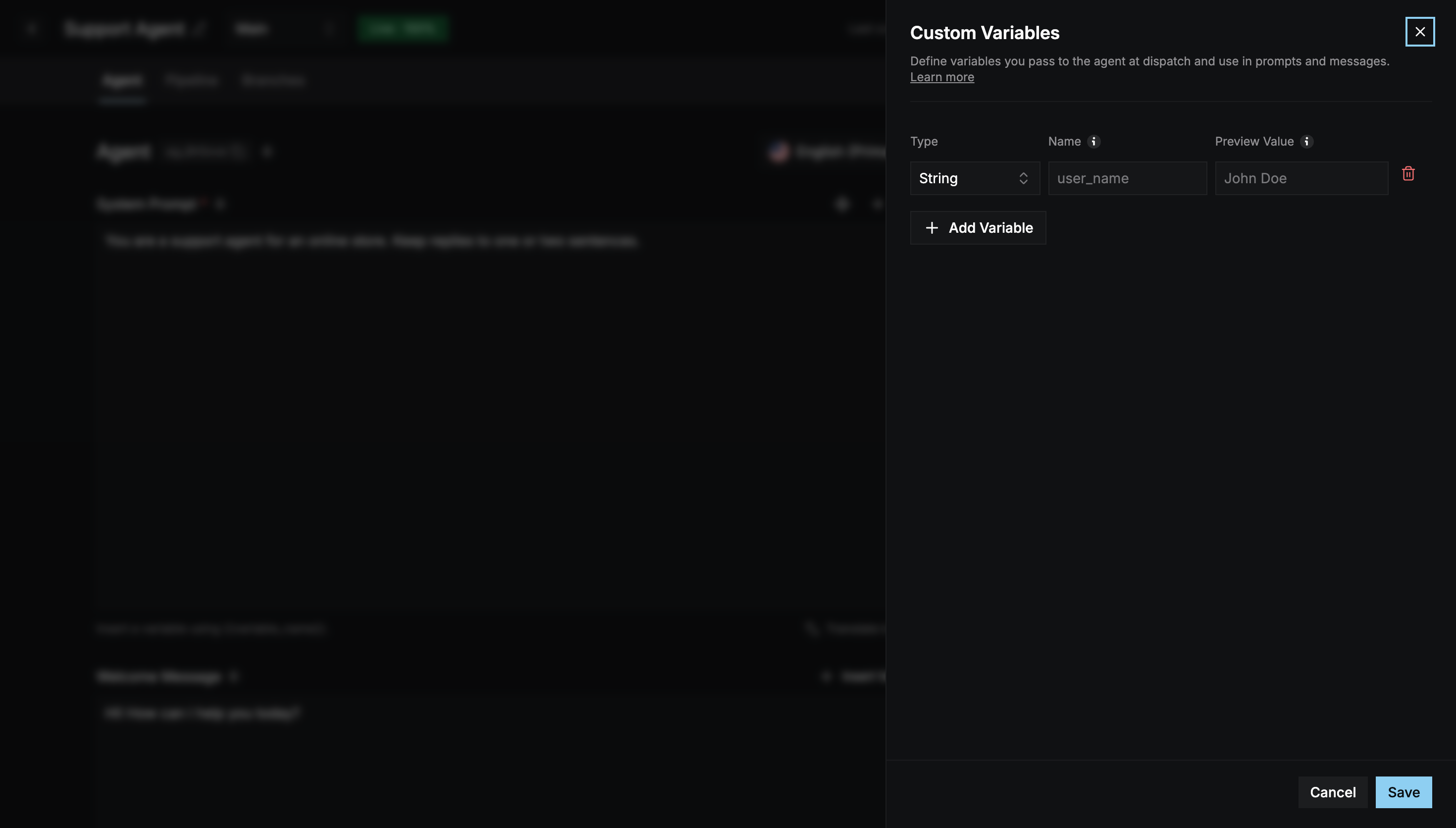 | Column | Description |
| - | - |
| **Type** | `String`, `Number`, or `Boolean`. |
| **Name** | The name you reference as `{{name}}`, for example `user_name`. Names must be unique. |
| **Preview Value** | The value used in **test calls only**, for example `John Doe`. |
You can define up to **10** variables per agent.
## Use variables
Type `{{user_name}}` in any supported field, or use **Insert Variable** above it.
```text theme={null}
Hi {{user_name}}, I see your order {{order_id}} is out for delivery.
```
## Pass values in production
In production, pass the actual values in `metadata.variables` when you dispatch the agent to a room. Each entry's `name` must match a variable you defined.
```bash theme={null}
curl -X POST 'https://api.zeroruntime.ai/v2/agent/dispatch' \
-H 'Authorization: YOUR_API_TOKEN' \
-H 'Content-Type: application/json' \
-d '{
"meetingId": "abcd-efgh-ijkl",
"agentId": "ag_7l0yt8",
"metadata": {
"variables": [
{ "name": "user_name", "value": "John Doe" },
{ "name": "order_id", "value": "ORD-1042" }
]
}
}'
```
* `meetingId` is the room the agent joins. `agentId` is your agent's ID.
* The agent must be [deployed](/agent-builder/deploy).
Test calls from the Preview panel use each variable's **Preview Value** instead.
This documentation is built and hosted on [Mintlify](https://mintlify.com), a developer documentation platform.
| Column | Description |
| - | - |
| **Type** | `String`, `Number`, or `Boolean`. |
| **Name** | The name you reference as `{{name}}`, for example `user_name`. Names must be unique. |
| **Preview Value** | The value used in **test calls only**, for example `John Doe`. |
You can define up to **10** variables per agent.
## Use variables
Type `{{user_name}}` in any supported field, or use **Insert Variable** above it.
```text theme={null}
Hi {{user_name}}, I see your order {{order_id}} is out for delivery.
```
## Pass values in production
In production, pass the actual values in `metadata.variables` when you dispatch the agent to a room. Each entry's `name` must match a variable you defined.
```bash theme={null}
curl -X POST 'https://api.zeroruntime.ai/v2/agent/dispatch' \
-H 'Authorization: YOUR_API_TOKEN' \
-H 'Content-Type: application/json' \
-d '{
"meetingId": "abcd-efgh-ijkl",
"agentId": "ag_7l0yt8",
"metadata": {
"variables": [
{ "name": "user_name", "value": "John Doe" },
{ "name": "order_id", "value": "ORD-1042" }
]
}
}'
```
* `meetingId` is the room the agent joins. `agentId` is your agent's ID.
* The agent must be [deployed](/agent-builder/deploy).
Test calls from the Preview panel use each variable's **Preview Value** instead.
This documentation is built and hosted on [Mintlify](https://mintlify.com), a developer documentation platform.