> ## Documentation Index
> Fetch the complete documentation index at: https://docs.zeroruntime.ai/llms.txt
> Use this file to discover all available pages before exploring further.
# Agent Builder
> Build, version, test, and deploy voice AI agents from the dashboard without writing code.
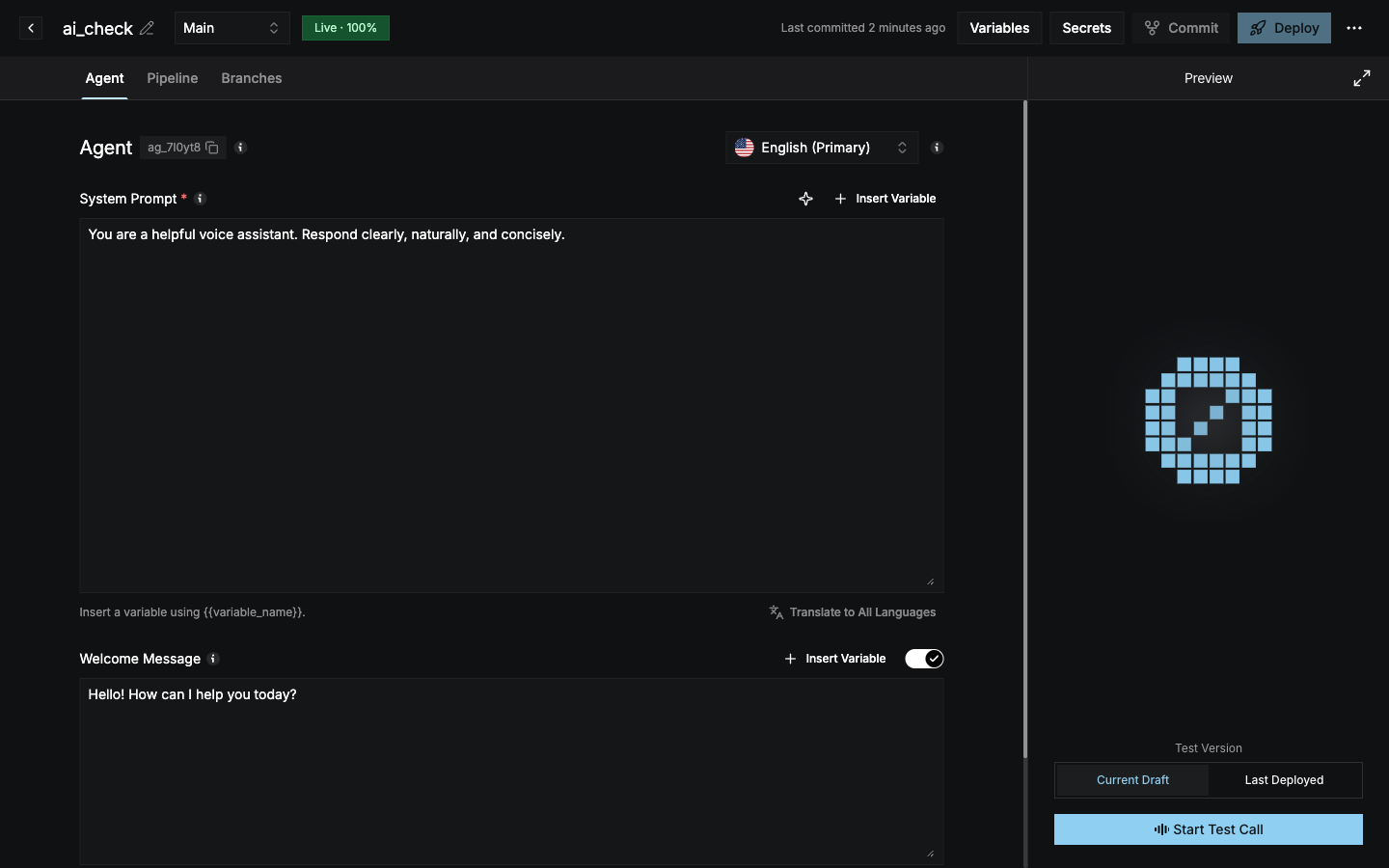
The Agent Builder lets you create a production voice agent entirely from the dashboard. You write the system prompt, pick the models, attach tools and knowledge, and ship it to phone numbers or your app. You don't write or host any code.
Every change is versioned, much like a Git repository. You edit a **draft**, save it as a **commit**, test ideas on a **branch**, and **deploy** the version you want to go live.
 ## Core concepts
| Concept | What it is |
| - | - |
| **Agent** | A voice agent with a unique ID (for example `ag_zqn1az`). It holds all of its branches, history, and deployment. |
| **Branch** | An independent line of configuration. Every agent starts with a **Main** branch. Create more branches to try changes without touching what is live. |
| **Draft** | Your uncommitted working copy on a branch. Every edit is auto-saved to the draft. |
| **Commit** | A saved, immutable version of a branch's configuration. Only committed versions can be deployed. |
| **Deployment** | The running agent. It serves one or more committed branches and splits live traffic between them by percentage. |
## How a change goes live
Change anything in the **Agent** or **Pipeline** tab. The header shows **Draft auto-saved** and a **Draft** badge.
Use **Start Test Call** in the Preview panel with **Current Draft** selected to talk to your uncommitted changes.
Select **Commit**, review the diff, and add a description. This creates a new version on the branch.
Select **Deploy** to make the committed version live, and optionally split traffic across branches.
Start from a template or from scratch.
Build the same agent with the Python or Node.js SDK.
This documentation is built and hosted on [Mintlify](https://mintlify.com), a developer documentation platform.
## Core concepts
| Concept | What it is |
| - | - |
| **Agent** | A voice agent with a unique ID (for example `ag_zqn1az`). It holds all of its branches, history, and deployment. |
| **Branch** | An independent line of configuration. Every agent starts with a **Main** branch. Create more branches to try changes without touching what is live. |
| **Draft** | Your uncommitted working copy on a branch. Every edit is auto-saved to the draft. |
| **Commit** | A saved, immutable version of a branch's configuration. Only committed versions can be deployed. |
| **Deployment** | The running agent. It serves one or more committed branches and splits live traffic between them by percentage. |
## How a change goes live
Change anything in the **Agent** or **Pipeline** tab. The header shows **Draft auto-saved** and a **Draft** badge.
Use **Start Test Call** in the Preview panel with **Current Draft** selected to talk to your uncommitted changes.
Select **Commit**, review the diff, and add a description. This creates a new version on the branch.
Select **Deploy** to make the committed version live, and optionally split traffic across branches.
Start from a template or from scratch.
Build the same agent with the Python or Node.js SDK.
This documentation is built and hosted on [Mintlify](https://mintlify.com), a developer documentation platform.