> ## Documentation Index
> Fetch the complete documentation index at: https://docs.zeroruntime.ai/llms.txt
> Use this file to discover all available pages before exploring further.
# Noise Cancellation & Background Audio
> Clean up the caller's audio, and add thinking and ambient sounds to make calls feel natural.
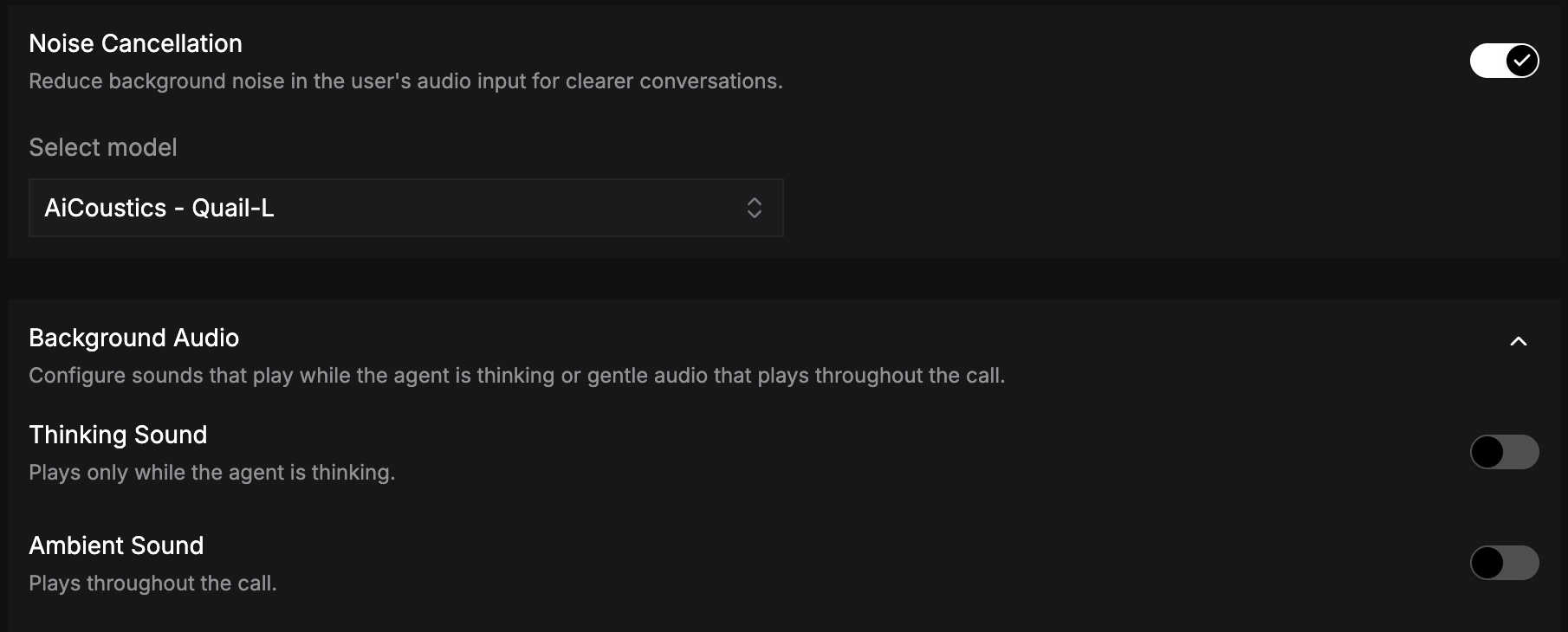 ## Noise Cancellation
Reduces background noise in the caller's audio for clearer recognition. Turn it on and choose a model from **Select model**, for example **AiCoustics - Quail VF 2.2 Small**.
Noise cancellation is set per language, and it works with both cascading and realtime pipelines.
## Background Audio
Expand **Background Audio** to add sound to the call.
| Setting | Plays | Options |
| - | - | - |
| **Thinking Sound** | Only while the agent is thinking, for example during an LLM response or a tool call. | Sound, volume (0–100%, default 10%), preview. |
| **Ambient Sound** | Throughout the call, for example soft office noise. | Sound, volume (0–100%, default 10%), preview. |
**Loop audio** (on by default) repeats the selected sounds when they reach the end.
A subtle thinking sound fills the silence during slow tool calls, so callers don't think the line has dropped.
This documentation is built and hosted on [Mintlify](https://mintlify.com), a developer documentation platform.
## Noise Cancellation
Reduces background noise in the caller's audio for clearer recognition. Turn it on and choose a model from **Select model**, for example **AiCoustics - Quail VF 2.2 Small**.
Noise cancellation is set per language, and it works with both cascading and realtime pipelines.
## Background Audio
Expand **Background Audio** to add sound to the call.
| Setting | Plays | Options |
| - | - | - |
| **Thinking Sound** | Only while the agent is thinking, for example during an LLM response or a tool call. | Sound, volume (0–100%, default 10%), preview. |
| **Ambient Sound** | Throughout the call, for example soft office noise. | Sound, volume (0–100%, default 10%), preview. |
**Loop audio** (on by default) repeats the selected sounds when they reach the end.
A subtle thinking sound fills the silence during slow tool calls, so callers don't think the line has dropped.
This documentation is built and hosted on [Mintlify](https://mintlify.com), a developer documentation platform.