> ## Documentation Index
> Fetch the complete documentation index at: https://docs.zeroruntime.ai/llms.txt
> Use this file to discover all available pages before exploring further.
# Wake-up Message
> Have the agent check in when the caller goes quiet.
A wake-up message keeps the call alive when the caller stops responding. If no activity is detected for the configured time, the agent speaks.
On the **Pipeline** tab, expand **Call Behavior Settings** and turn on **Wake-Up Message**.
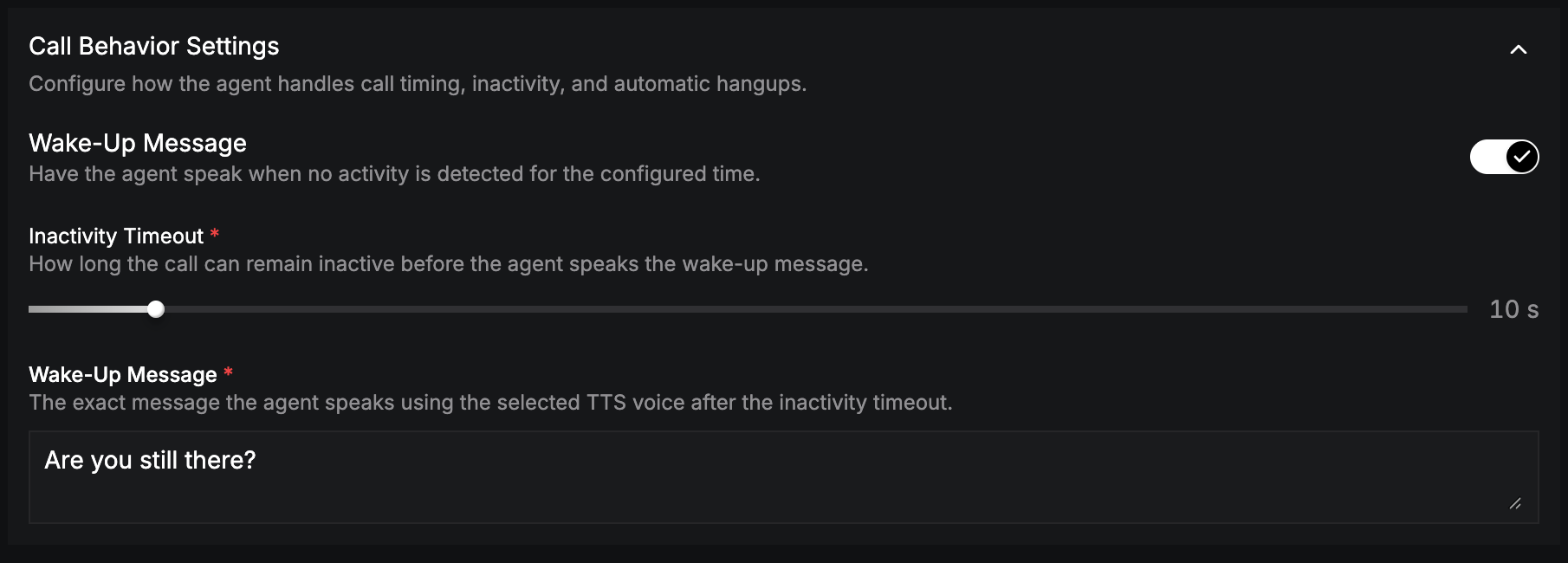 | Field | Description |
| - | - |
| **Inactivity Timeout** (required) | Seconds of silence before the agent speaks (0–120 s). |
| **Wake-Up Message** (required) | What the agent says, for example *"Are you still there? Let me know if you need anything else."* |
The wake-up message is set per language.
To end the call once the conversation is over, use [Call End Configuration](/agent-builder/pipeline/call-end-configuration).
This documentation is built and hosted on [Mintlify](https://mintlify.com), a developer documentation platform.
| Field | Description |
| - | - |
| **Inactivity Timeout** (required) | Seconds of silence before the agent speaks (0–120 s). |
| **Wake-Up Message** (required) | What the agent says, for example *"Are you still there? Let me know if you need anything else."* |
The wake-up message is set per language.
To end the call once the conversation is over, use [Call End Configuration](/agent-builder/pipeline/call-end-configuration).
This documentation is built and hosted on [Mintlify](https://mintlify.com), a developer documentation platform.