> ## Documentation Index
> Fetch the complete documentation index at: https://docs.zeroruntime.ai/llms.txt
> Use this file to discover all available pages before exploring further.
# Branches
> Try changes safely on a separate branch, split live traffic between branches, and merge into Main.
Branches let you work on changes, like a new voice or a different prompt, without touching the configuration that's live. Every agent starts with a **Main** branch.
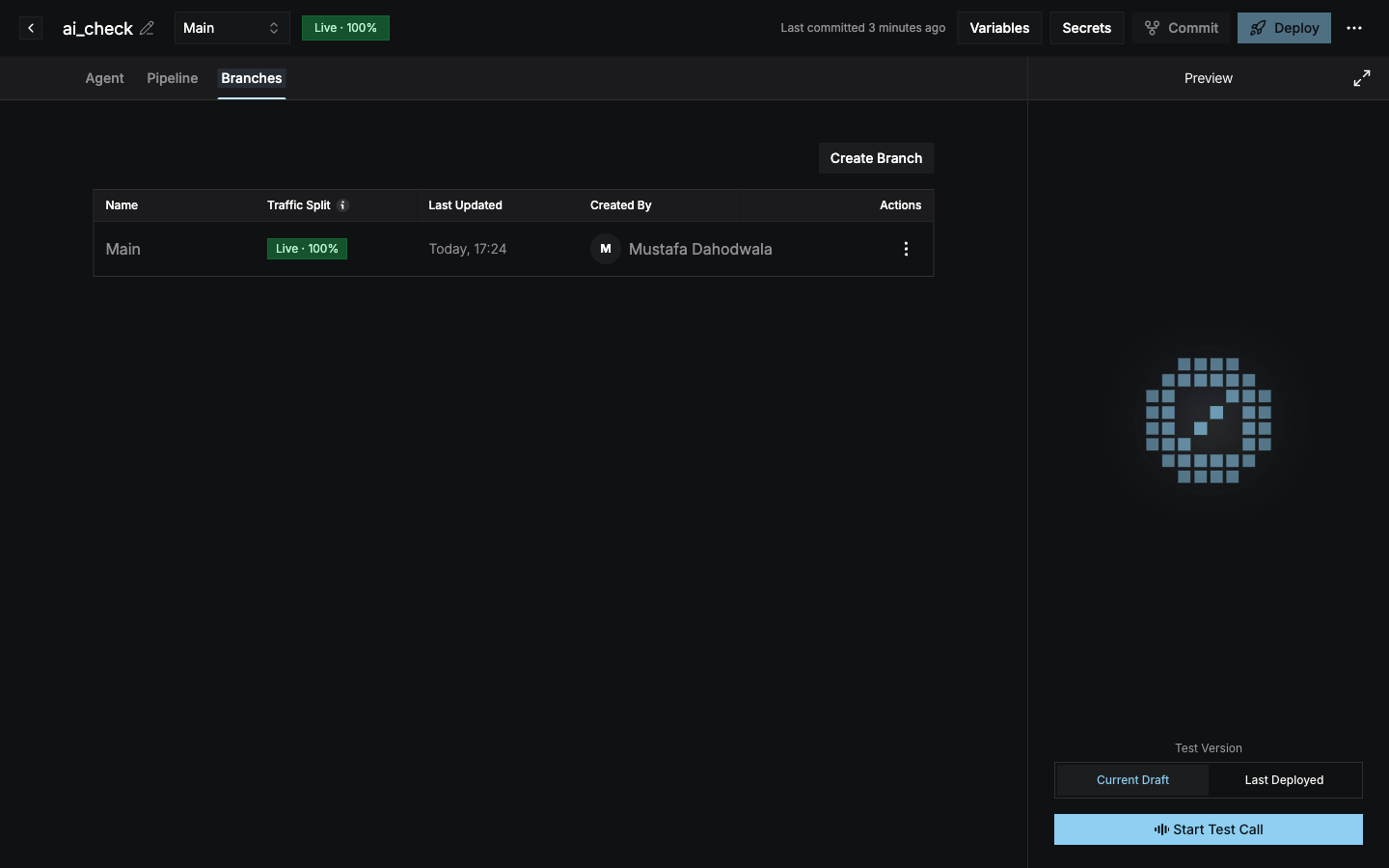
Open the **Branches** tab to see every branch with its traffic split, last update, and creator.
 ## Create a branch
Select **Create Branch** on the Branches tab, or from the branch selector in the header.
Enter a **Branch Name** (for example *Shorter welcome message*) and an optional **Description**.
Select **Create Branch**. The new branch starts with the configuration of the branch you currently have selected, and the builder switches to it.
Use the **branch selector** in the header to switch between branches. Each branch has its own draft and commits.
## Split traffic between branches
A deployment can serve several branches at once, for example for an A/B test. The **Traffic Split** column and the **Live · N%** badge in the header show each branch's share of live calls. A branch with no traffic shows **Not deployed**.
* To send traffic to an undeployed branch, select **Deploy** on its row.
* To change percentages, select **Edit Deployment** from a branch's **⋮** menu.
See [Branch traffic split](/agent-builder/deploy#branch-traffic-split) for the rules.
## Merge into Main
When a branch is ready, select **Merge into Main** from its **⋮** menu. Review the diff between **Main (Current)** and your branch (**Incoming**), then confirm.
Merging **replaces** Main's configuration with the branch's configuration. It doesn't combine them. The merged branch is then archived.
## Branch actions
| Action | Description |
| - | - |
| **View Branch History** | All commits, merges, reverts, and deployments on the branch. See [History and revert](/agent-builder/versioning/history-and-revert). |
| **Copy Branch ID** | Copies the branch's ID. |
| **Merge into Main** | Replaces Main's configuration with this branch's. Not available on Main. |
| **Edit Deployment** | Changes deployment settings, including the traffic split. |
This documentation is built and hosted on [Mintlify](https://mintlify.com), a developer documentation platform.
## Create a branch
Select **Create Branch** on the Branches tab, or from the branch selector in the header.
Enter a **Branch Name** (for example *Shorter welcome message*) and an optional **Description**.
Select **Create Branch**. The new branch starts with the configuration of the branch you currently have selected, and the builder switches to it.
Use the **branch selector** in the header to switch between branches. Each branch has its own draft and commits.
## Split traffic between branches
A deployment can serve several branches at once, for example for an A/B test. The **Traffic Split** column and the **Live · N%** badge in the header show each branch's share of live calls. A branch with no traffic shows **Not deployed**.
* To send traffic to an undeployed branch, select **Deploy** on its row.
* To change percentages, select **Edit Deployment** from a branch's **⋮** menu.
See [Branch traffic split](/agent-builder/deploy#branch-traffic-split) for the rules.
## Merge into Main
When a branch is ready, select **Merge into Main** from its **⋮** menu. Review the diff between **Main (Current)** and your branch (**Incoming**), then confirm.
Merging **replaces** Main's configuration with the branch's configuration. It doesn't combine them. The merged branch is then archived.
## Branch actions
| Action | Description |
| - | - |
| **View Branch History** | All commits, merges, reverts, and deployments on the branch. See [History and revert](/agent-builder/versioning/history-and-revert). |
| **Copy Branch ID** | Copies the branch's ID. |
| **Merge into Main** | Replaces Main's configuration with this branch's. Not available on Main. |
| **Edit Deployment** | Changes deployment settings, including the traffic split. |
This documentation is built and hosted on [Mintlify](https://mintlify.com), a developer documentation platform.