> ## Documentation Index
> Fetch the complete documentation index at: https://docs.zeroruntime.ai/llms.txt
> Use this file to discover all available pages before exploring further.
# History and Revert
> See every change on a branch and roll back to any earlier version.
## Branch history
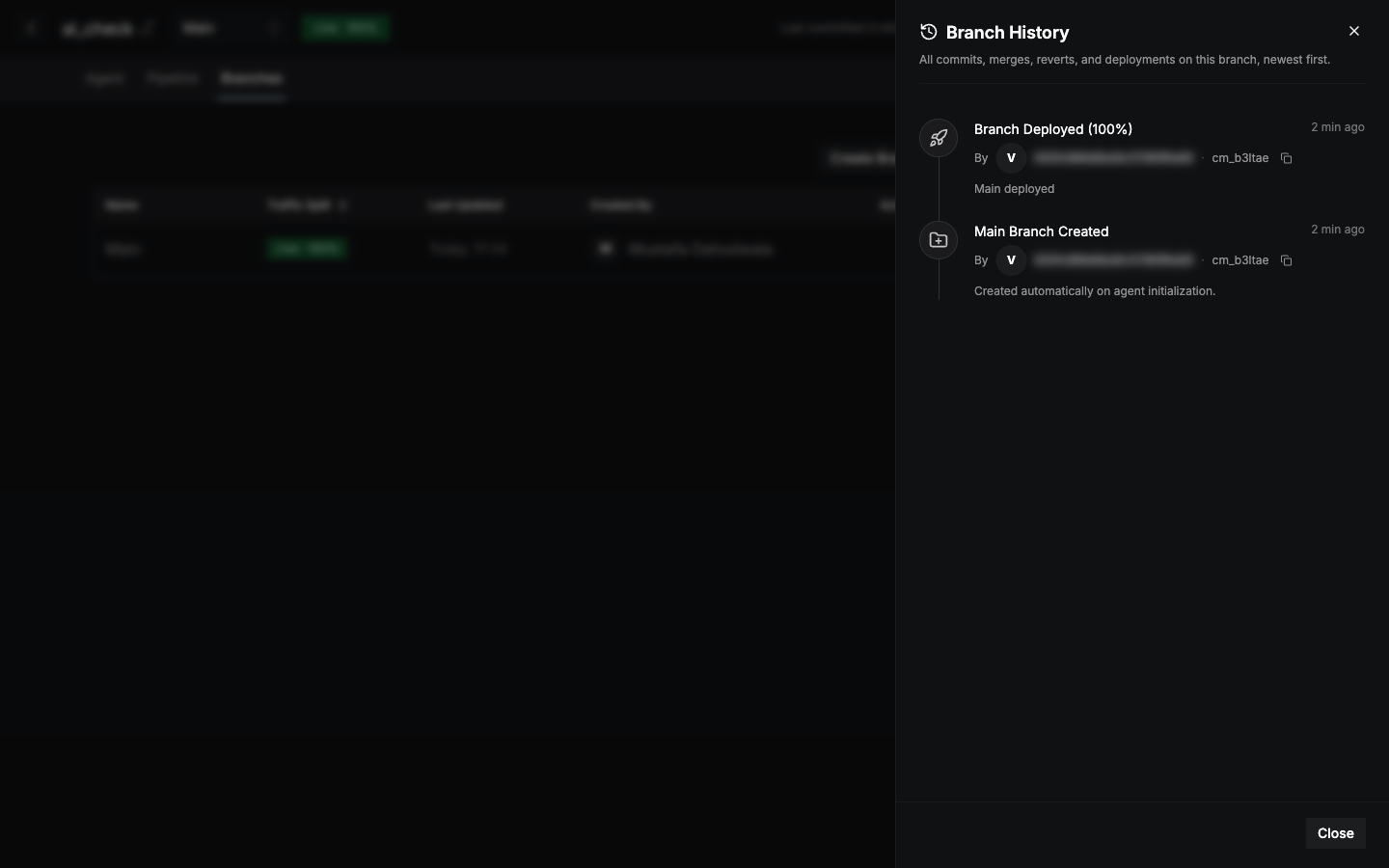
On the **Branches** tab, open a branch's **⋮** menu and select **View Branch History**. The timeline lists every event on the branch, newest first.
 | Event | When it appears |
| - | - |
| **Commit** | Someone committed a new version. |
| **Deploy** | A version was deployed. The event shows its traffic share, for example **100% Deployed**. |
| **Merge** | Another branch was merged in. |
| **Revert** | An earlier version was restored. |
| **Branch created** | The branch was created. Main is created automatically with the agent. |
Each event shows who made it, when, and its commit ID. The current version is highlighted. Recent events are shown first. Select **Show older** to load more.
## Revert to an earlier version
In **Branch History**, select the event you want to go back to.
Compare the **Latest Commit** with the **Historical version**.
Select **Revert to This Version**.
A revert adds a **new commit** with the old configuration, so history is never lost. Your uncommitted draft changes are kept.
A revert doesn't change what's live. [Deploy](/agent-builder/deploy) the branch to make the reverted version live.
This documentation is built and hosted on [Mintlify](https://mintlify.com), a developer documentation platform.
| Event | When it appears |
| - | - |
| **Commit** | Someone committed a new version. |
| **Deploy** | A version was deployed. The event shows its traffic share, for example **100% Deployed**. |
| **Merge** | Another branch was merged in. |
| **Revert** | An earlier version was restored. |
| **Branch created** | The branch was created. Main is created automatically with the agent. |
Each event shows who made it, when, and its commit ID. The current version is highlighted. Recent events are shown first. Select **Show older** to load more.
## Revert to an earlier version
In **Branch History**, select the event you want to go back to.
Compare the **Latest Commit** with the **Historical version**.
Select **Revert to This Version**.
A revert adds a **new commit** with the old configuration, so history is never lost. Your uncommitted draft changes are kept.
A revert doesn't change what's live. [Deploy](/agent-builder/deploy) the branch to make the reverted version live.
This documentation is built and hosted on [Mintlify](https://mintlify.com), a developer documentation platform.