> ## Documentation Index
> Fetch the complete documentation index at: https://docs.zeroruntime.ai/llms.txt
> Use this file to discover all available pages before exploring further.
# Build a WhatsApp Agent with Zero Runtime
> Answer calls placed to your WhatsApp Business number with an AI voice agent over a direct Meta–Zero Runtime SIP integration, no third-party telephony provider needed.
## Architecture
A WhatsApp caller reaches the Meta Business Platform, which forwards the call over SIP to the Zero Runtime SIP Gateway. A routing rule invokes your self-hosted agent by matching its `agent_id`.
 ## Prerequisites
* **Meta side:**
* A verified [Meta Business Manager](https://business.facebook.com/) account.
* A phone number verified in your WhatsApp Business Account (WABA).
* A [Meta Developer App](https://developers.facebook.com/) with the `whatsapp_business_management` permission enabled.
* A permanent user access token for the Meta Graph API.
* **Zero Runtime side:** A ZRT Auth token (`ZRT_AUTH_TOKEN`). Generate one in the [Zero Runtime Dashboard](https://app.zeroruntime.ai/).
Use Python 3.11 or higher, then install the Zero Runtime Agents SDK. Create and activate a virtual environment, then install `zrt` and `python-dotenv`. Every provider plugin ships with `zrt`.
```bash uv theme={null}
uv venv --python 3.11
source .venv/bin/activate # macOS/Linux
.\.venv\Scripts\activate # Windows
```
```bash pip theme={null}
python3.11 -m venv venv
source venv/bin/activate # macOS/Linux
.\venv\Scripts\activate # Windows
```
New to uv? See the [uv install guide](https://docs.astral.sh/uv/getting-started/installation/).
```bash uv theme={null}
uv pip install zrt python-dotenv
```
```bash pip theme={null}
pip install zrt python-dotenv
```
Store API keys and tokens in a `.env` file in your project root.
```shell title=".env" theme={null}
# The Inference gateway authenticates with your Zero Runtime token -
# no separate STT, LLM, or TTS provider keys needed.
# Option A: pre-generated token
ZRT_AUTH_TOKEN = "ZRT Auth token"
# Option B: SDK auto-generates token (omit ZRT_AUTH_TOKEN)
# ZRT_API_KEY = "Your Zero Runtime API Key"
# ZRT_SECRET_KEY = "Your Zero Runtime Secret Key"
```
```shell title=".env" theme={null}
# Option A: pre-generated token
ZRT_AUTH_TOKEN="ZRT Auth token"
# Option B: SDK auto-generates token (omit ZRT_AUTH_TOKEN)
# ZRT_API_KEY="Your Zero Runtime API Key"
# ZRT_SECRET_KEY="Your Zero Runtime Secret Key"
# Used by GeminiRealtime
GOOGLE_API_KEY="Google Live API Key"
```
Get a Gemini key from [Google AI Studio](https://aistudio.google.com/app/apikey). For Zero Runtime, use an auth token from the [Zero Runtime Dashboard](https://app.zeroruntime.ai/api-keys) or an API key + secret. Follow the [guide](/authentication).
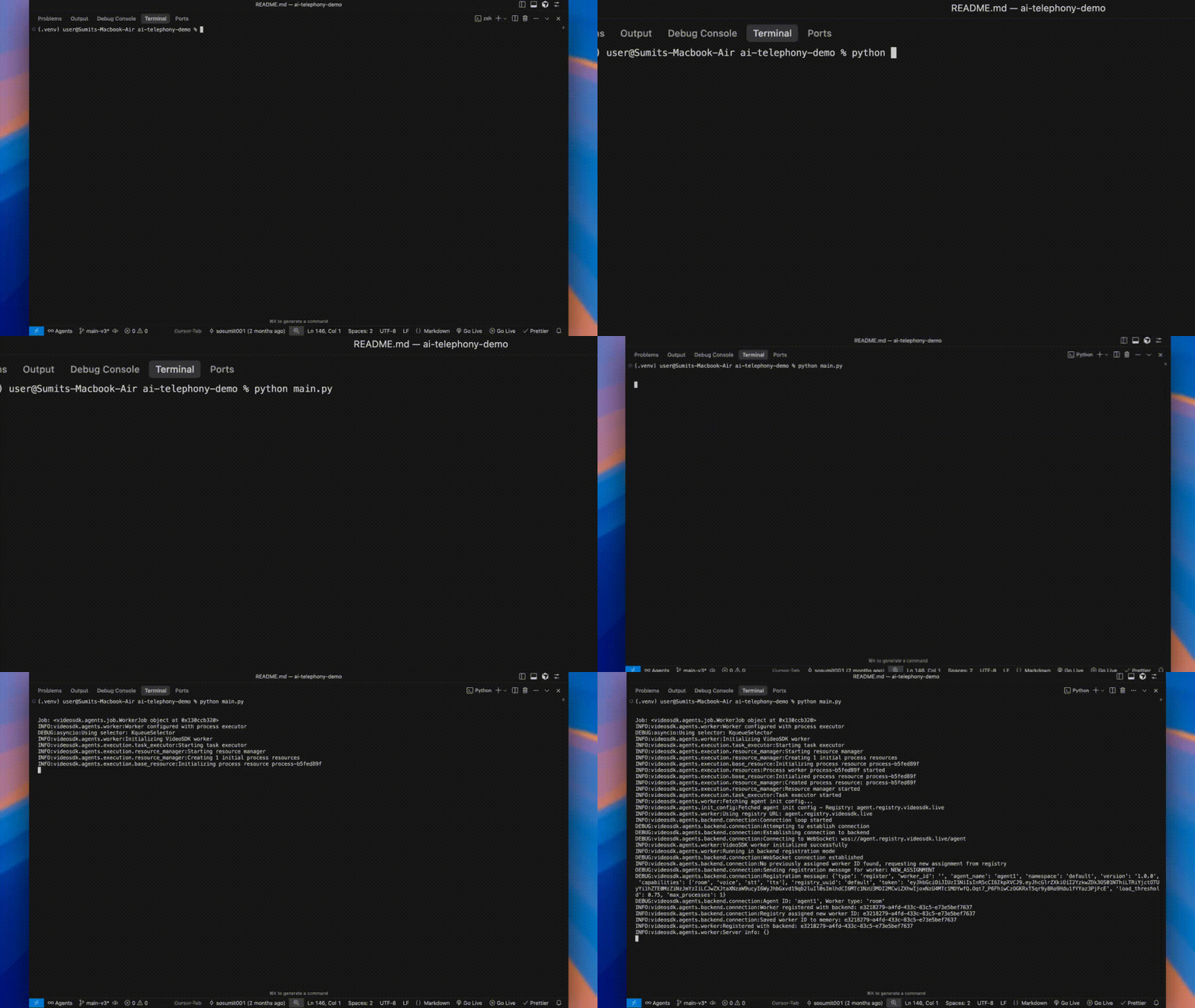
The agent must register itself with Zero Runtime so calls can be routed to it. Give it a unique `agent_id` and start it with `zrt.serve()`, which registers it automatically. WhatsApp calls arrive through your routing rule, so there is no playground to open. Just keep the process running.
```python title="main.py" theme={null}
import logging
import zrt
from zrt import Agent, Pipeline
from zrt.plugins import SileroVAD, TurnDetector
from zrt.plugins import CartesiaSTT, GoogleLLM, CartesiaTTS
from zrt.inference import AICousticsDenoise
from dotenv import load_dotenv
logging.basicConfig(level=logging.INFO)
load_dotenv()
AGENT_ID = "agent1" # unique ID used for call routing
pipeline = Pipeline(
stt=CartesiaSTT(model="ink-2"),
llm=GoogleLLM(model="gemini-2.5-flash"),
tts=CartesiaTTS(model="sonic-2"),
vad=SileroVAD(threshold=0.35),
turn_detector=TurnDetector(model="echo-large"),
denoise=AICousticsDenoise(model_id="quail-vf-2.2-l-16khz"),
)
class WhatsappAgent(Agent):
def __init__(self):
super().__init__(
agent_id=AGENT_ID,
instructions="You are a friendly assistant answering WhatsApp calls. Keep responses concise.",
pipeline=pipeline,
)
async def on_enter(self):
await self.session.say("Hello! You've reached the Zero Runtime assistant. How can I help you today?")
async def on_exit(self):
await self.session.say("Thank you for calling. Goodbye!")
def on_ready():
logging.info("Agent registered as %s and ready for calls.", AGENT_ID)
if __name__ == "__main__":
# Pass the class itself (not an instance): serve() builds a fresh WhatsappAgent +
# pipeline per call, which is required for correct per-call state under concurrent calls.
zrt.serve(WhatsappAgent, on_ready=on_ready)
```
```python title="main.py" theme={null}
import os, logging
import zrt
from zrt import Agent, Pipeline
from zrt.plugins import GeminiRealtime, GeminiLiveConfig
from dotenv import load_dotenv
logging.basicConfig(level=logging.INFO)
load_dotenv()
AGENT_ID = "agent1" # unique ID used for call routing
model = GeminiRealtime(
api_key=os.getenv("GOOGLE_API_KEY"),
config=GeminiLiveConfig(
model="gemini-3.1-flash-live-preview",
voice="Leda",
response_modalities=["AUDIO"],
),
)
pipeline = Pipeline(llm=model)
class WhatsappAgent(Agent):
def __init__(self):
super().__init__(
agent_id=AGENT_ID,
instructions="You are a friendly assistant answering WhatsApp calls. Keep responses concise.",
pipeline=pipeline,
)
async def on_enter(self):
await self.session.say("Hello! You've reached the Zero Runtime assistant. How can I help you today?")
async def on_exit(self):
await self.session.say("Thank you for calling. Goodbye!")
def on_ready():
logging.info("Agent registered as %s and ready for calls.", AGENT_ID)
if __name__ == "__main__":
# Pass the class itself (not an instance): serve() builds a fresh WhatsappAgent +
# pipeline per call, which is required for correct per-call state under concurrent calls.
zrt.serve(WhatsappAgent, on_ready=on_ready)
```
Declare your dependencies in a `pyproject.toml`, then let uv build the environment and run the agent:
```toml title="pyproject.toml" theme={null}
[project]
name = "zrt-whatsapp-agent"
version = "0.1.0"
requires-python = ">=3.11"
dependencies = [
"zrt",
"python-dotenv",
]
[build-system]
requires = ["setuptools"]
build-backend = "setuptools.build_meta"
```
```toml title="pyproject.toml" theme={null}
[project]
name = "zrt-whatsapp-agent"
version = "0.1.0"
requires-python = ">=3.11"
dependencies = [
"zrt",
"python-dotenv",
]
[build-system]
requires = ["setuptools"]
build-backend = "setuptools.build_meta"
```
```bash theme={null}
uv sync # creates the .venv and installs the dependencies
uv run python main.py
```
Keep the process running. It registers with Zero Runtime using the ID `agent1`.
## Prerequisites
* **Meta side:**
* A verified [Meta Business Manager](https://business.facebook.com/) account.
* A phone number verified in your WhatsApp Business Account (WABA).
* A [Meta Developer App](https://developers.facebook.com/) with the `whatsapp_business_management` permission enabled.
* A permanent user access token for the Meta Graph API.
* **Zero Runtime side:** A ZRT Auth token (`ZRT_AUTH_TOKEN`). Generate one in the [Zero Runtime Dashboard](https://app.zeroruntime.ai/).
Use Python 3.11 or higher, then install the Zero Runtime Agents SDK. Create and activate a virtual environment, then install `zrt` and `python-dotenv`. Every provider plugin ships with `zrt`.
```bash uv theme={null}
uv venv --python 3.11
source .venv/bin/activate # macOS/Linux
.\.venv\Scripts\activate # Windows
```
```bash pip theme={null}
python3.11 -m venv venv
source venv/bin/activate # macOS/Linux
.\venv\Scripts\activate # Windows
```
New to uv? See the [uv install guide](https://docs.astral.sh/uv/getting-started/installation/).
```bash uv theme={null}
uv pip install zrt python-dotenv
```
```bash pip theme={null}
pip install zrt python-dotenv
```
Store API keys and tokens in a `.env` file in your project root.
```shell title=".env" theme={null}
# The Inference gateway authenticates with your Zero Runtime token -
# no separate STT, LLM, or TTS provider keys needed.
# Option A: pre-generated token
ZRT_AUTH_TOKEN = "ZRT Auth token"
# Option B: SDK auto-generates token (omit ZRT_AUTH_TOKEN)
# ZRT_API_KEY = "Your Zero Runtime API Key"
# ZRT_SECRET_KEY = "Your Zero Runtime Secret Key"
```
```shell title=".env" theme={null}
# Option A: pre-generated token
ZRT_AUTH_TOKEN="ZRT Auth token"
# Option B: SDK auto-generates token (omit ZRT_AUTH_TOKEN)
# ZRT_API_KEY="Your Zero Runtime API Key"
# ZRT_SECRET_KEY="Your Zero Runtime Secret Key"
# Used by GeminiRealtime
GOOGLE_API_KEY="Google Live API Key"
```
Get a Gemini key from [Google AI Studio](https://aistudio.google.com/app/apikey). For Zero Runtime, use an auth token from the [Zero Runtime Dashboard](https://app.zeroruntime.ai/api-keys) or an API key + secret. Follow the [guide](/authentication).
The agent must register itself with Zero Runtime so calls can be routed to it. Give it a unique `agent_id` and start it with `zrt.serve()`, which registers it automatically. WhatsApp calls arrive through your routing rule, so there is no playground to open. Just keep the process running.
```python title="main.py" theme={null}
import logging
import zrt
from zrt import Agent, Pipeline
from zrt.plugins import SileroVAD, TurnDetector
from zrt.plugins import CartesiaSTT, GoogleLLM, CartesiaTTS
from zrt.inference import AICousticsDenoise
from dotenv import load_dotenv
logging.basicConfig(level=logging.INFO)
load_dotenv()
AGENT_ID = "agent1" # unique ID used for call routing
pipeline = Pipeline(
stt=CartesiaSTT(model="ink-2"),
llm=GoogleLLM(model="gemini-2.5-flash"),
tts=CartesiaTTS(model="sonic-2"),
vad=SileroVAD(threshold=0.35),
turn_detector=TurnDetector(model="echo-large"),
denoise=AICousticsDenoise(model_id="quail-vf-2.2-l-16khz"),
)
class WhatsappAgent(Agent):
def __init__(self):
super().__init__(
agent_id=AGENT_ID,
instructions="You are a friendly assistant answering WhatsApp calls. Keep responses concise.",
pipeline=pipeline,
)
async def on_enter(self):
await self.session.say("Hello! You've reached the Zero Runtime assistant. How can I help you today?")
async def on_exit(self):
await self.session.say("Thank you for calling. Goodbye!")
def on_ready():
logging.info("Agent registered as %s and ready for calls.", AGENT_ID)
if __name__ == "__main__":
# Pass the class itself (not an instance): serve() builds a fresh WhatsappAgent +
# pipeline per call, which is required for correct per-call state under concurrent calls.
zrt.serve(WhatsappAgent, on_ready=on_ready)
```
```python title="main.py" theme={null}
import os, logging
import zrt
from zrt import Agent, Pipeline
from zrt.plugins import GeminiRealtime, GeminiLiveConfig
from dotenv import load_dotenv
logging.basicConfig(level=logging.INFO)
load_dotenv()
AGENT_ID = "agent1" # unique ID used for call routing
model = GeminiRealtime(
api_key=os.getenv("GOOGLE_API_KEY"),
config=GeminiLiveConfig(
model="gemini-3.1-flash-live-preview",
voice="Leda",
response_modalities=["AUDIO"],
),
)
pipeline = Pipeline(llm=model)
class WhatsappAgent(Agent):
def __init__(self):
super().__init__(
agent_id=AGENT_ID,
instructions="You are a friendly assistant answering WhatsApp calls. Keep responses concise.",
pipeline=pipeline,
)
async def on_enter(self):
await self.session.say("Hello! You've reached the Zero Runtime assistant. How can I help you today?")
async def on_exit(self):
await self.session.say("Thank you for calling. Goodbye!")
def on_ready():
logging.info("Agent registered as %s and ready for calls.", AGENT_ID)
if __name__ == "__main__":
# Pass the class itself (not an instance): serve() builds a fresh WhatsappAgent +
# pipeline per call, which is required for correct per-call state under concurrent calls.
zrt.serve(WhatsappAgent, on_ready=on_ready)
```
Declare your dependencies in a `pyproject.toml`, then let uv build the environment and run the agent:
```toml title="pyproject.toml" theme={null}
[project]
name = "zrt-whatsapp-agent"
version = "0.1.0"
requires-python = ">=3.11"
dependencies = [
"zrt",
"python-dotenv",
]
[build-system]
requires = ["setuptools"]
build-backend = "setuptools.build_meta"
```
```toml title="pyproject.toml" theme={null}
[project]
name = "zrt-whatsapp-agent"
version = "0.1.0"
requires-python = ">=3.11"
dependencies = [
"zrt",
"python-dotenv",
]
[build-system]
requires = ["setuptools"]
build-backend = "setuptools.build_meta"
```
```bash theme={null}
uv sync # creates the .venv and installs the dependencies
uv run python main.py
```
Keep the process running. It registers with Zero Runtime using the ID `agent1`.
 Set up two gateways so Zero Runtime can route WhatsApp calls in and out. Use the Dashboard or the API for each.
**1. Inbound gateway**: the entry point for incoming WhatsApp calls.
1. In the [Zero Runtime Dashboard](https://app.zeroruntime.ai/), go to **Telephony > Inbound Gateways** and click **Add**.
2. Enter a gateway name (e.g. `WhatsApp Gateway`).
3. Add your WhatsApp Business phone number and click **Create**.
```bash theme={null}
curl --request POST \
--url https://api.videosdk.live/v2/sip/inbound-gateways \
--header 'Authorization: YOUR_ZRT_AUTH_TOKEN' \
--header 'Content-Type: application/json' \
--data '{ "name": "WhatsApp Gateway", "numbers": ["+1234567890"] }'
```
**2. Outbound gateway**: lets the agent dial out to WhatsApp numbers. First fetch the SIP credentials from Meta:
```bash theme={null}
curl --globoff 'https://graph.facebook.com/v17.0/{{phone_id}}/settings?include_sip_credentials=true' \
--header 'Authorization: Bearer {{access_token}}'
```
Use the returned `hostname` (address) and `sip_user_password` (password) to create the gateway.
1. In the Zero Runtime Dashboard, go to **Telephony > Outbound Gateways** and click **Add**.
2. Enter a gateway name.
3. Provide the SIP details from Meta (the `hostname` as the address, your WhatsApp number as the username, and `sip_user_password` as the password), then click **Create**.
```bash theme={null}
curl --request POST \
--url https://api.videosdk.live/v2/sip/outbound-gateways \
--header 'Authorization: YOUR_ZRT_AUTH_TOKEN' \
--header 'Content-Type: application/json' \
--data '{
"name": "WhatsApp Outbound",
"numbers": ["+1234567890"],
"address": "9WXXXXXXXX.sip.videosdk.live",
"auth": { "username": "your_whatsapp_number", "password": "v18yo40Lhxxxxxx" }
}'
```
Connect the inbound gateway to your agent by ID. The agent ID must match the `agent_id` you pass to your agent (registered by `zrt.serve()`).
1. In the Zero Runtime Dashboard, go to **Telephony > Routing Rules** and click **Add**.
2. Select your inbound gateway (e.g. `WhatsApp Gateway`).
3. Add your WhatsApp Business phone number.
4. Set **Dispatch** to **Agent** and **Agent Type** to **Self Hosted**.
5. Enter the **Agent ID** as `agent1` (must match `main.py`) and click **Create**.
```bash theme={null}
curl --request POST \
--url https://api.videosdk.live/v2/sip/routing-rules \
--header 'Authorization: YOUR_ZRT_AUTH_TOKEN' \
--header 'Content-Type: application/json' \
--data '{
"gatewayId": "your_inbound_gateway_id",
"name": "WhatsApp Call Routing",
"numbers": ["+1234567890"],
"dispatch": "agent",
"agentType": "self_hosted",
"agentId": "agent1"
}'
```
Tell Meta to forward incoming WhatsApp calls to your inbound gateway. Substitute the inbound gateway hostname (it appears in the dashboard).
```bash theme={null}
curl --location 'https://graph.facebook.com/v19.0/{{phone_number_id}}/settings' \
--header 'Authorization: Bearer {{access_token}}' \
--header 'Content-Type: application/json' \
--data '{
"calling": {
"status": "ENABLED",
"sip": {
"status": "ENABLED",
"servers": [ { "hostname": "9WXXXXXXX.sip.videosdk.live" } ]
},
"srtp_key_exchange_protocol": "DTLS"
}
}'
```
A successful response is `{ "success": true }`.
Make sure your **main.py** script is still running locally before making or receiving calls. The agent must be active to handle any communication.
From a different WhatsApp account, place a voice call to your WhatsApp Business number. The agent answers and greets you.
Trigger a call from the agent through your outbound gateway. Replace `gatewayId` and `sipCallTo`.
```bash theme={null}
curl --request POST \
--url https://api.videosdk.live/v2/sip/call \
--header 'Authorization: YOUR_ZRT_AUTH_TOKEN' \
--header 'Content-Type: application/json' \
--data '{ "gatewayId": "your_outbound_gateway_id", "sipCallTo": "whatsapp_number_to_call" }'
```
For **optimal performance**, run your agent in the same geographic region as your SIP provider. This reduces latency and improves call quality.
## Verify
* The agent registers under the ID `agent1` and the worker process stays running.
* An incoming WhatsApp call reaches the agent and you hear the greeting.
* Outbound calls dial the target WhatsApp number through your outbound gateway.
**Common errors:**
* **`agent_id` mismatch:** the routing rule's `agentId` must exactly match the agent's `agent_id`.
* **Missing Meta permission:** the access token needs `whatsapp_business_management`.
* **SIP forwarding off:** the Meta `calling.sip.status` must be `ENABLED`.
* **Agent not running:** the worker process must be alive to accept the inbound call.
## What's Next
Explore call transfer, DTMF, voicemail, and more.
Move from local to production.
## References
* [Meta Graph API](https://developers.facebook.com/docs/graph-api/overview)
* [Inbound Gateway API](https://docs.videosdk.live/api-reference/realtime-communication/sip/inbound-gateway/create-inbound-gateway)
* [Outbound Gateway API](https://docs.videosdk.live/api-reference/realtime-communication/sip/outbound-gateway/create-outbound-gateway)
* [Routing Rule API](https://docs.videosdk.live/api-reference/realtime-communication/sip/routing-rules/create-routing-rule)
Set up two gateways so Zero Runtime can route WhatsApp calls in and out. Use the Dashboard or the API for each.
**1. Inbound gateway**: the entry point for incoming WhatsApp calls.
1. In the [Zero Runtime Dashboard](https://app.zeroruntime.ai/), go to **Telephony > Inbound Gateways** and click **Add**.
2. Enter a gateway name (e.g. `WhatsApp Gateway`).
3. Add your WhatsApp Business phone number and click **Create**.
```bash theme={null}
curl --request POST \
--url https://api.videosdk.live/v2/sip/inbound-gateways \
--header 'Authorization: YOUR_ZRT_AUTH_TOKEN' \
--header 'Content-Type: application/json' \
--data '{ "name": "WhatsApp Gateway", "numbers": ["+1234567890"] }'
```
**2. Outbound gateway**: lets the agent dial out to WhatsApp numbers. First fetch the SIP credentials from Meta:
```bash theme={null}
curl --globoff 'https://graph.facebook.com/v17.0/{{phone_id}}/settings?include_sip_credentials=true' \
--header 'Authorization: Bearer {{access_token}}'
```
Use the returned `hostname` (address) and `sip_user_password` (password) to create the gateway.
1. In the Zero Runtime Dashboard, go to **Telephony > Outbound Gateways** and click **Add**.
2. Enter a gateway name.
3. Provide the SIP details from Meta (the `hostname` as the address, your WhatsApp number as the username, and `sip_user_password` as the password), then click **Create**.
```bash theme={null}
curl --request POST \
--url https://api.videosdk.live/v2/sip/outbound-gateways \
--header 'Authorization: YOUR_ZRT_AUTH_TOKEN' \
--header 'Content-Type: application/json' \
--data '{
"name": "WhatsApp Outbound",
"numbers": ["+1234567890"],
"address": "9WXXXXXXXX.sip.videosdk.live",
"auth": { "username": "your_whatsapp_number", "password": "v18yo40Lhxxxxxx" }
}'
```
Connect the inbound gateway to your agent by ID. The agent ID must match the `agent_id` you pass to your agent (registered by `zrt.serve()`).
1. In the Zero Runtime Dashboard, go to **Telephony > Routing Rules** and click **Add**.
2. Select your inbound gateway (e.g. `WhatsApp Gateway`).
3. Add your WhatsApp Business phone number.
4. Set **Dispatch** to **Agent** and **Agent Type** to **Self Hosted**.
5. Enter the **Agent ID** as `agent1` (must match `main.py`) and click **Create**.
```bash theme={null}
curl --request POST \
--url https://api.videosdk.live/v2/sip/routing-rules \
--header 'Authorization: YOUR_ZRT_AUTH_TOKEN' \
--header 'Content-Type: application/json' \
--data '{
"gatewayId": "your_inbound_gateway_id",
"name": "WhatsApp Call Routing",
"numbers": ["+1234567890"],
"dispatch": "agent",
"agentType": "self_hosted",
"agentId": "agent1"
}'
```
Tell Meta to forward incoming WhatsApp calls to your inbound gateway. Substitute the inbound gateway hostname (it appears in the dashboard).
```bash theme={null}
curl --location 'https://graph.facebook.com/v19.0/{{phone_number_id}}/settings' \
--header 'Authorization: Bearer {{access_token}}' \
--header 'Content-Type: application/json' \
--data '{
"calling": {
"status": "ENABLED",
"sip": {
"status": "ENABLED",
"servers": [ { "hostname": "9WXXXXXXX.sip.videosdk.live" } ]
},
"srtp_key_exchange_protocol": "DTLS"
}
}'
```
A successful response is `{ "success": true }`.
Make sure your **main.py** script is still running locally before making or receiving calls. The agent must be active to handle any communication.
From a different WhatsApp account, place a voice call to your WhatsApp Business number. The agent answers and greets you.
Trigger a call from the agent through your outbound gateway. Replace `gatewayId` and `sipCallTo`.
```bash theme={null}
curl --request POST \
--url https://api.videosdk.live/v2/sip/call \
--header 'Authorization: YOUR_ZRT_AUTH_TOKEN' \
--header 'Content-Type: application/json' \
--data '{ "gatewayId": "your_outbound_gateway_id", "sipCallTo": "whatsapp_number_to_call" }'
```
For **optimal performance**, run your agent in the same geographic region as your SIP provider. This reduces latency and improves call quality.
## Verify
* The agent registers under the ID `agent1` and the worker process stays running.
* An incoming WhatsApp call reaches the agent and you hear the greeting.
* Outbound calls dial the target WhatsApp number through your outbound gateway.
**Common errors:**
* **`agent_id` mismatch:** the routing rule's `agentId` must exactly match the agent's `agent_id`.
* **Missing Meta permission:** the access token needs `whatsapp_business_management`.
* **SIP forwarding off:** the Meta `calling.sip.status` must be `ENABLED`.
* **Agent not running:** the worker process must be alive to accept the inbound call.
## What's Next
Explore call transfer, DTMF, voicemail, and more.
Move from local to production.
## References
* [Meta Graph API](https://developers.facebook.com/docs/graph-api/overview)
* [Inbound Gateway API](https://docs.videosdk.live/api-reference/realtime-communication/sip/inbound-gateway/create-inbound-gateway)
* [Outbound Gateway API](https://docs.videosdk.live/api-reference/realtime-communication/sip/outbound-gateway/create-outbound-gateway)
* [Routing Rule API](https://docs.videosdk.live/api-reference/realtime-communication/sip/routing-rules/create-routing-rule)