

Overview
Name the kinds of value a session treats as sensitive, and Zero Runtime removes them before anything is published: the flagged turn’s audio becomes a tone in the recording, and its text becomes a label in the transcript. Everything else publishes untouched. Redaction is off unless a session asks for it.- Applies to a whole turn, not to individual words.
- Covers the audio recording only, not video or screen share.
- Available from Python SDK v0.1.7 and Node JS SDK v0.1.2.
Configuration
PIIRedaction takes rules and an optional target.
target
defines where redaction is applied.
If recording is disabled, only the transcript is redacted.
rules
defines what to redact and what to replace it with.
If a PII type is not included, it is not redacted.
IDENTITY_NUMBER→ Social Security, passport, AadhaarDIGIT_RUN→ Account and reference numbers- Custom types are supported, for example
"Policy Number"
Validation
The session will not start if the redaction configuration is invalid.rulesmust contain at least one PII type.- Each rule must map a PII type to a text label.
targetmust be a list containingRECORDINGorTRANSCRIPTor Both.
- An empty label (
"") removes the sensitive content without adding a replacement label. - In recordings, redacted turns are replaced with a tone. Redacted transcripts are published after the call ends.
Code Example
Redaction is part of observability, so it travels on theRoom.
In the Dashboard
A flagged turn reads as its label, so the conversation around it stays readable.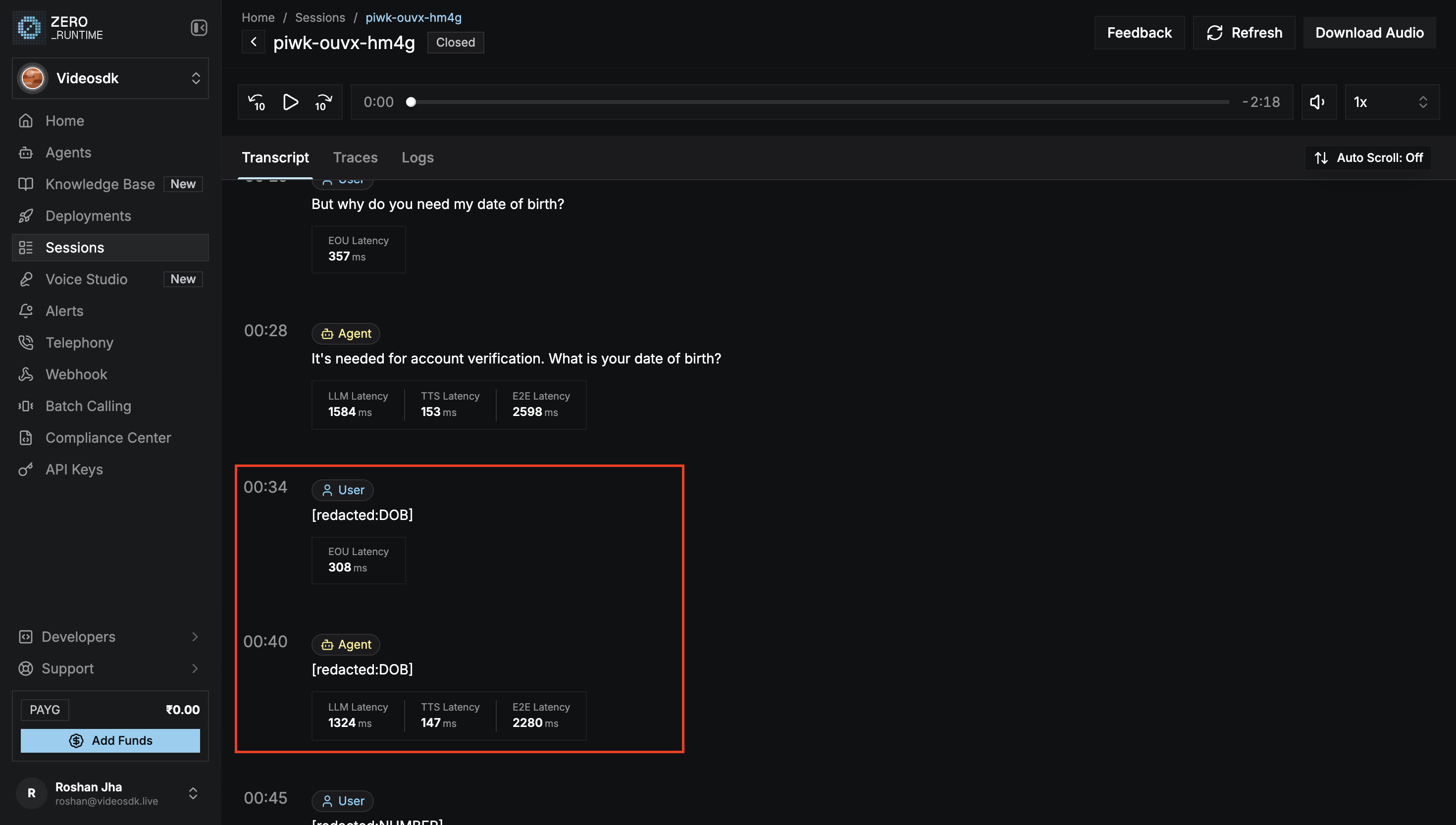
A redacted session transcript
What’s Next
Recording
Turn on the recording that redaction removes the flagged turns from.
Session Analytics
Review a session’s transcript on the Dashboard.
References
- Python
- Node JS
Examples
PII Redaction
Redact a session’s recording and transcript.