

1
Click Train
Go to Data → Datasets, open your dataset, and click Train.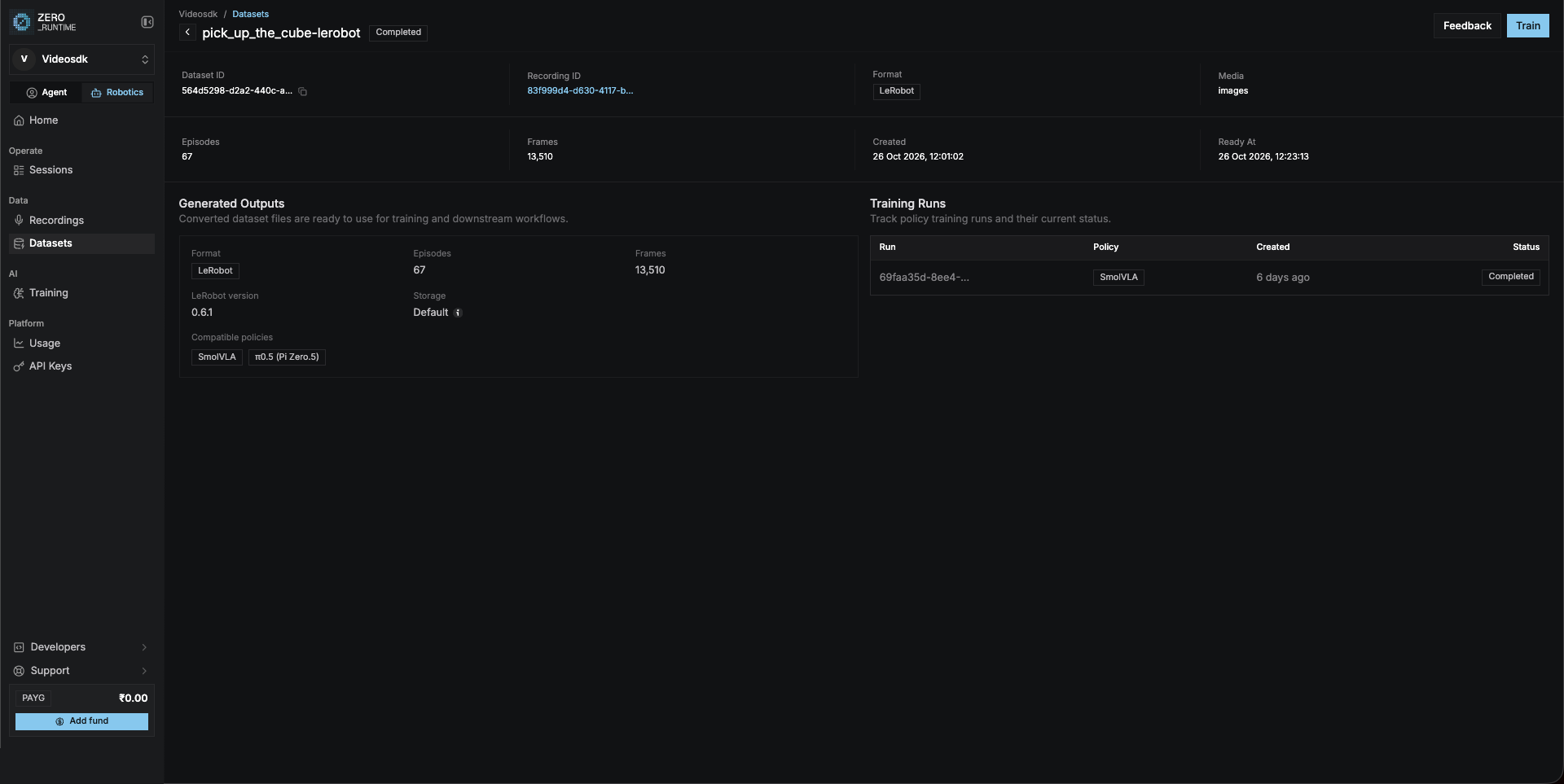
2
Fill in the panel
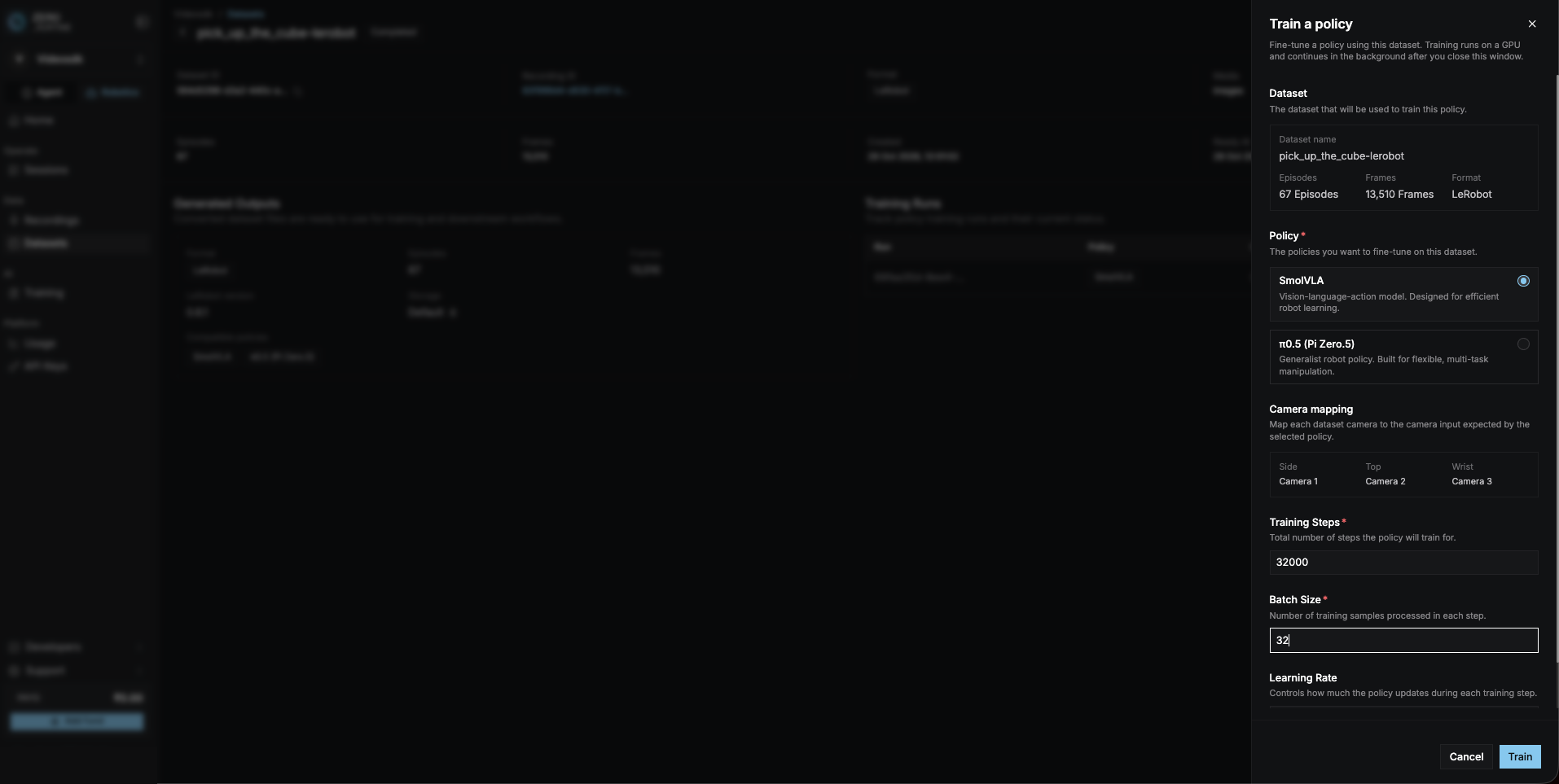
3
Watch the progress
Go to AI → Training and open your run. It goes through these stages:Queued → Initializing → Preparing Dataset → Downloading Data → Validating
Data → Training → Saving Checkpoints → CompletedThe page also shows training metrics and saved checkpoints. If training
fails, the reason is shown at the top.
4
Copy the Training ID
When the run says Completed, click the copy button next to the
Training ID. It looks like 
123e4567-e89b-42d3-a456-426614174000.Related
Running a policy
Next: let the policy drive the arm.
Datasets
Back: make a dataset.