Tools let the agent take actions and fetch live data, for example to check an order’s status, book an appointment, or look up an account. The LLM decides when to call a tool based on the tool’s name and description. On the Pipeline tab, select Tools.

Tool library

Tools are shared across your account, so you can reuse one tool in many agents.
  • Select Assign to attach a tool to the current branch, or Unassign to remove it. Assignments are saved to the draft and versioned with your commits.
  • Filter by HTTP Method or by whether a tool is Assigned.
  • Use a tool’s ⋮ menu to Edit, Duplicate, or Delete it.

Add a tool

Select Add Tool and fill in the form.
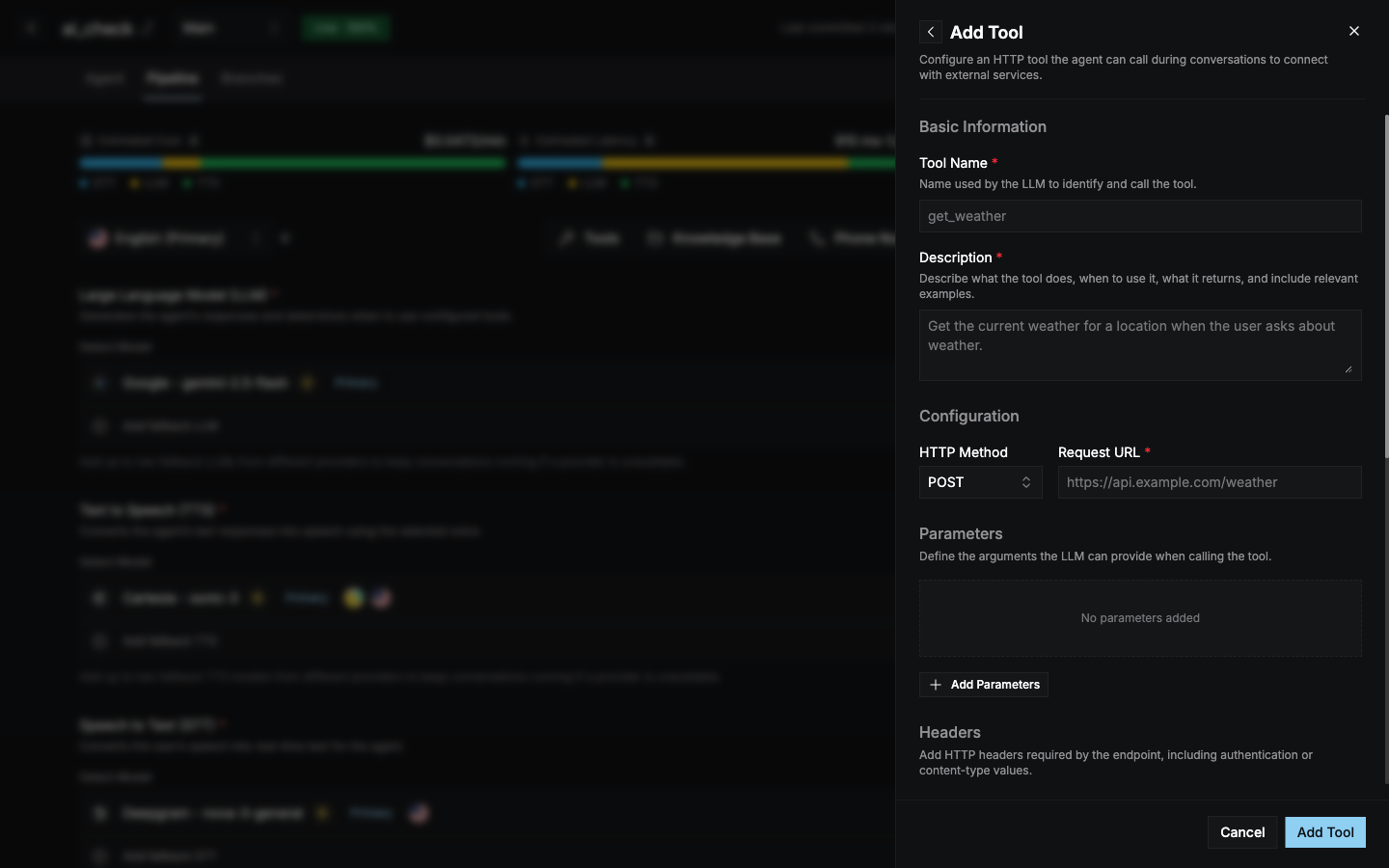
Add Tool form with name, description, HTTP method, request URL, parameters, headers, messages, and timeout settings
Example description
Mention the tool in your system prompt too, for example “Use get_order_status whenever the caller asks where their order is.”