

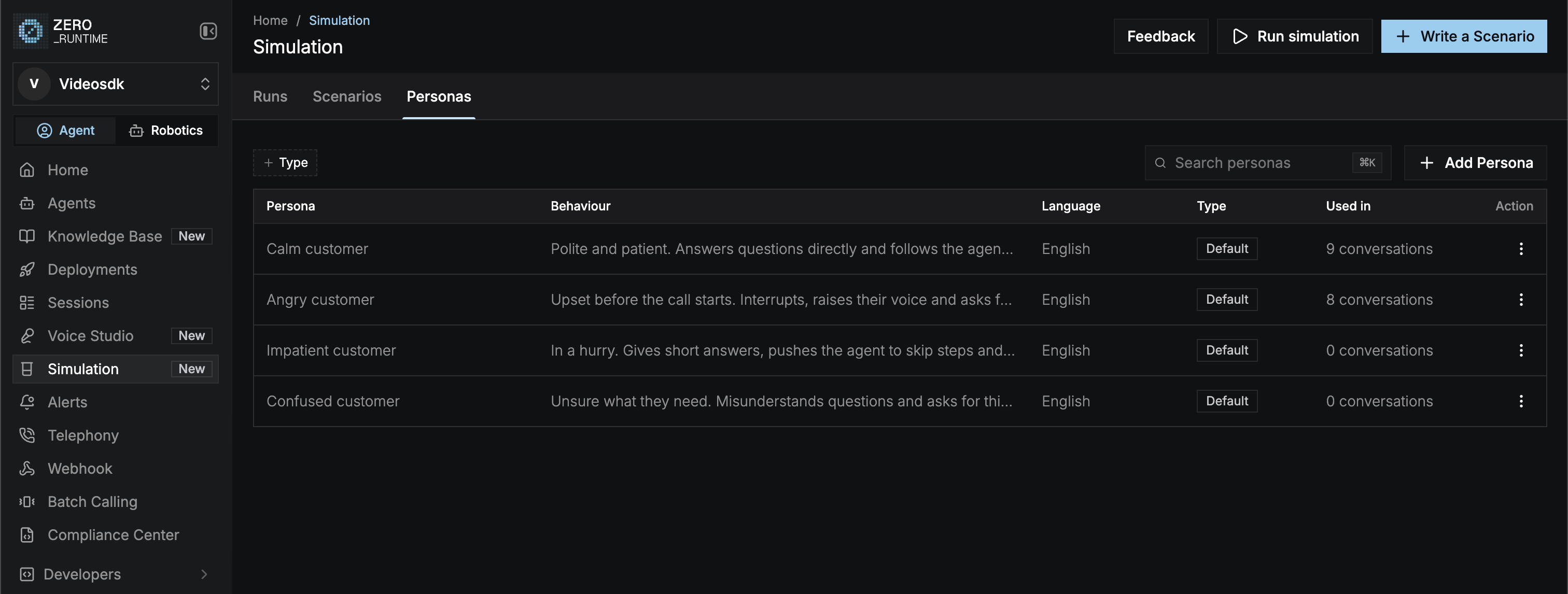
Default personas
Every account starts with four default personas. They speak English. You can view them, but not edit or delete them.Add a persona
Select Add Persona on the Personas tab, or in the persona picker when you set up a simulation.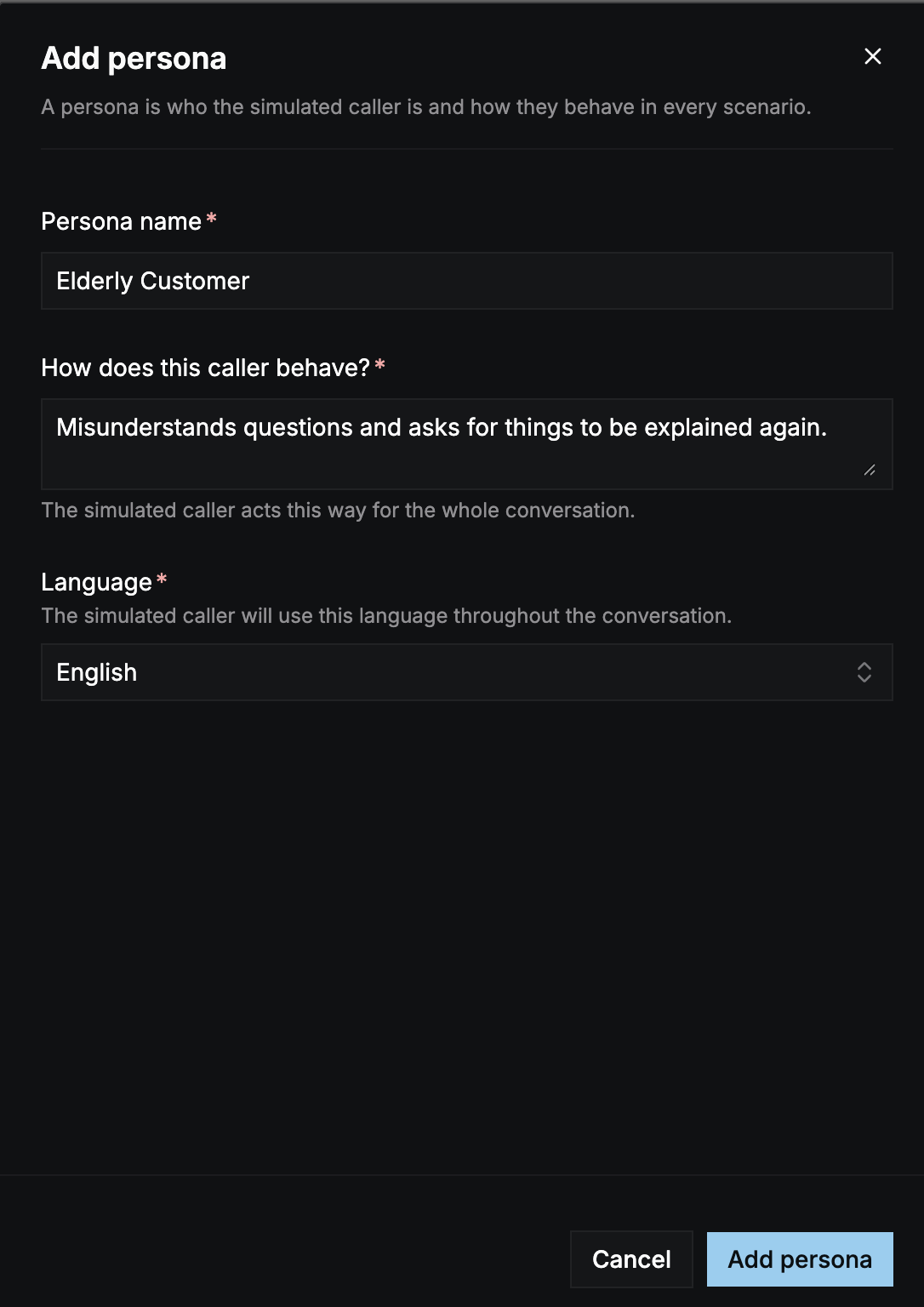
Select Add persona to save it. Custom personas have the type Custom.
Manage personas
Open a persona’s ⋮ menu:- View: see the persona’s details and where it’s been used: the number of conversations and runs, its pass rate, and its latest runs. Select View all runs to filter the Runs tab to runs that used this persona.
- Edit: change any field. Not available for default personas.
- Delete: remove it from future simulations. Not available for default personas.
Edits and deletes apply only to future simulations. Every run keeps a copy of the personas it used, so past results stay as they are.