

Configure
1
Agent
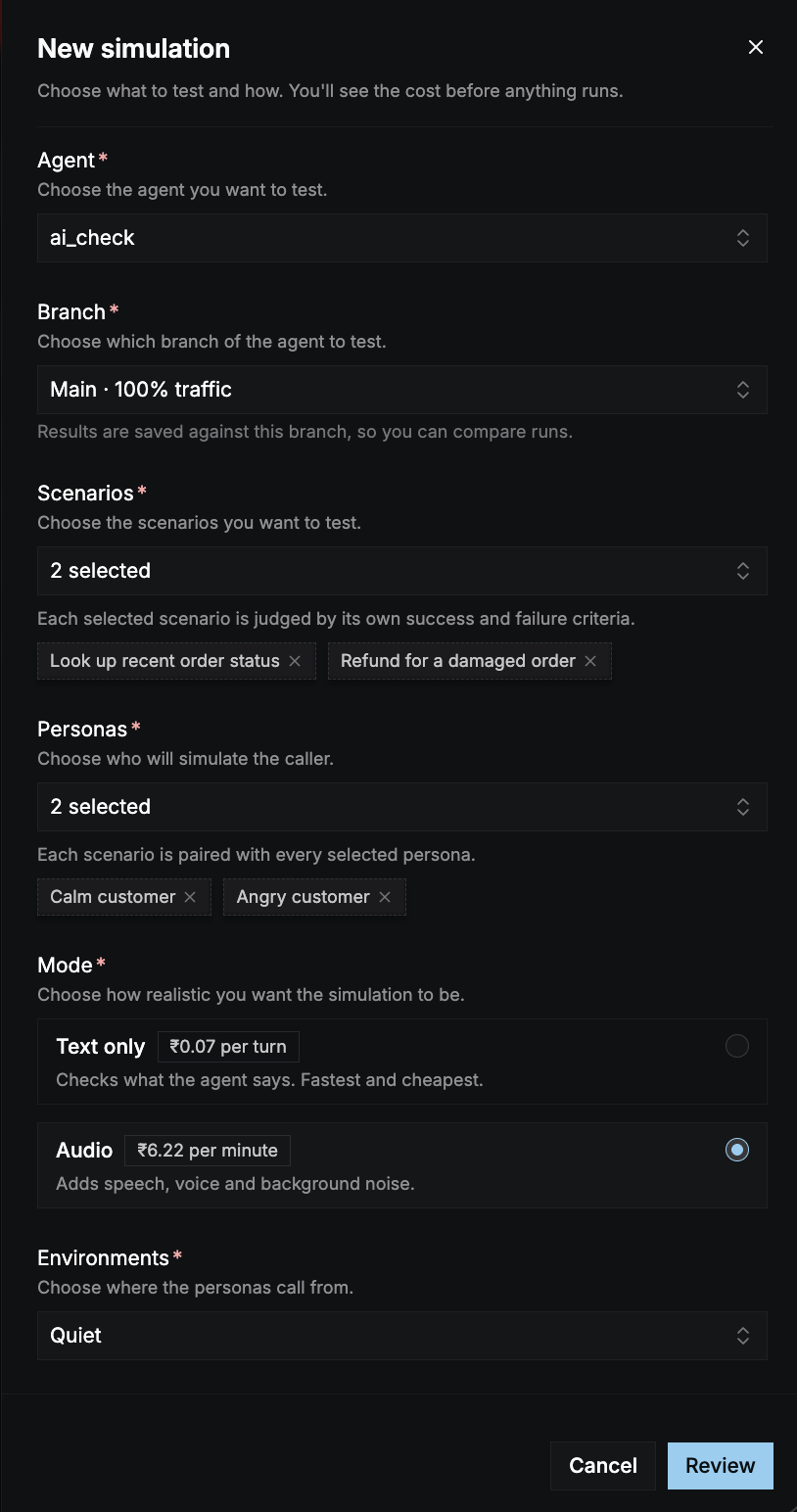
Choose the agent to test. Select Add Agent to create one in a new tab.
2
Branch
Choose which branch to test. Branches that serve live traffic show their share, for example Main · 100% traffic. Results are saved against this branch, so you can compare runs.For a multi-language agent, the simulation uses the branch’s default language.
3
Scenarios
Choose one or more scenarios. Each one is judged by its own success and failure criteria. Select Add Scenario to write a new one without leaving the panel. It’s selected as soon as you save it.
4
Personas
Choose one or more personas to play the caller. Each scenario is paired with every selected persona. Select Add Persona to create one in place.
5
Mode
Choose Text only or Audio. Each option shows its current price. See Choose a mode.
6
Environments (audio only)
Choose where the personas call from. Each persona calls once from every selected environment. See Environments.
7
Number of turns or call duration
Set the limit for each conversation: Number of turns in text mode, or Call duration in audio mode. The panel shows the most each conversation can cost at this limit.
Choose a mode
A mode the agent’s pipeline doesn’t support is disabled with “Not supported by this agent’s pipeline.” Text only isn’t available for agents that use a realtime model.
When a conversation ends
A text conversation ends when the agent ends the call, the caller says goodbye, or it reaches the turn limit. An audio call ends when the caller hangs up, the agent leaves the call, or the call reaches its duration limit. If your agent doesn’t join the call within 60 seconds, the conversation is stopped and not judged.Environments
In audio mode, the caller can call from different backgrounds to test how your agent handles noise and bad lines.
Each environment you add multiplies the number of conversations. Two scenarios, two personas, and three environments make 12 calls.
Review and run
The Review and run step shows: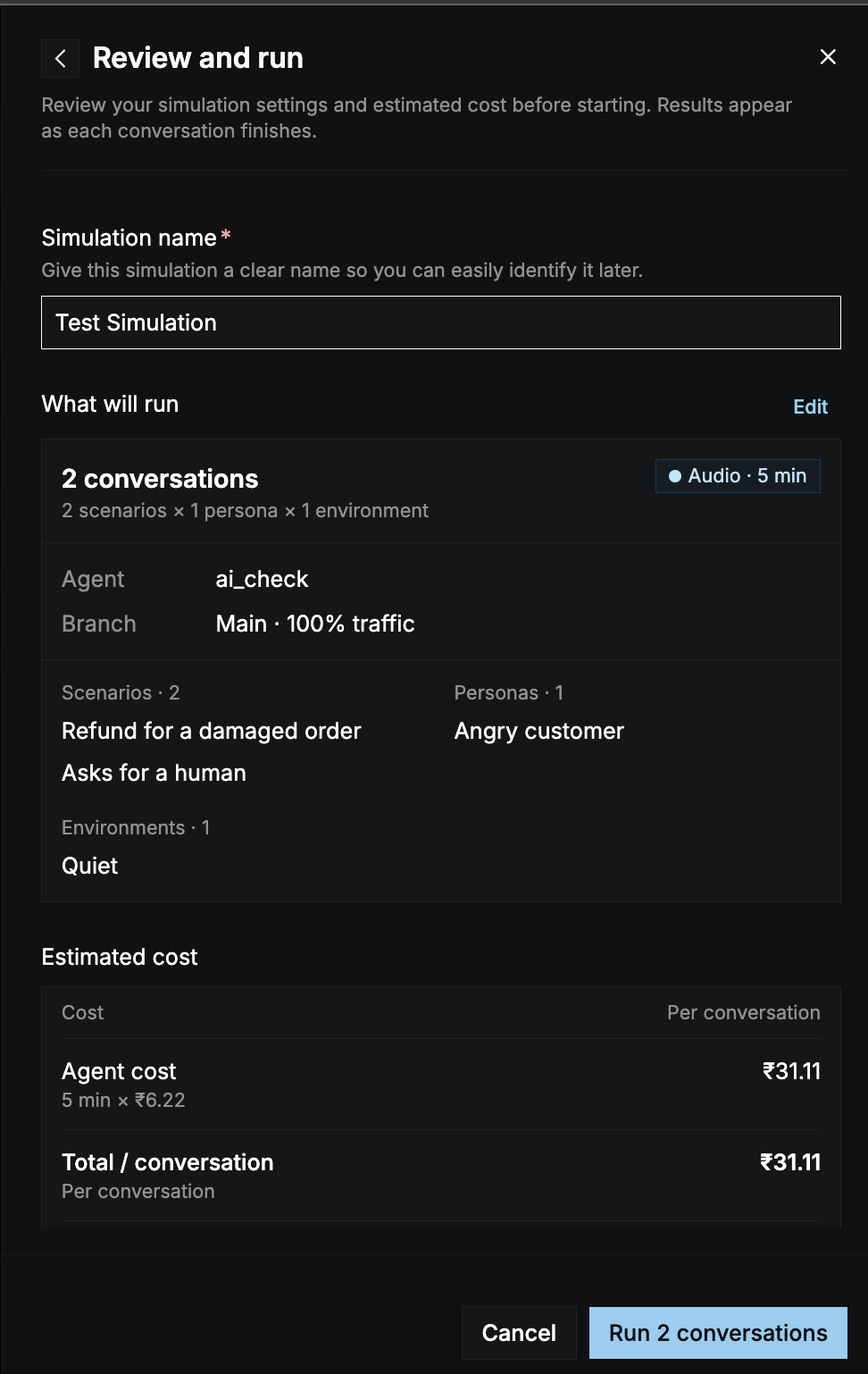
- Simulation name (required): give it a name you’ll recognize later, for example Weekly regression.
- What will run: the number of conversations, how they add up (for example 2 scenarios × 3 personas × 2 environments), the mode and limit, the agent and branch, and the selected scenarios, personas, and environments. Select Edit to go back.
- Estimated cost: the cost per conversation and the total. See Cost.
Cost
Text simulations are priced per turn and audio simulations per minute. Each conversation’s cost has two parts:
The estimate uses the turn or duration limit, so it’s the most a run should cost. Conversations that end early cost less. The cost is deducted from your credits as the run progresses.
If your credits don’t cover the estimate, the panel shows Your credits are low and disables the run. Select Add credits to top up.