

Runs
The Runs tab lists every simulation run with its status, mode, pass rate, cost, and start time. Pass rate and cost appear once the run finishes.
Select a run to open it.
A run
The run page updates live while the run is going. The header shows the run’s name, status, and mode, with Stop run while it’s running, and Re-run Simulation and Delete Simulation after it ends. Below the header you see the run ID, the agent (select it to open the agent in the builder), start and end times, duration, and totals.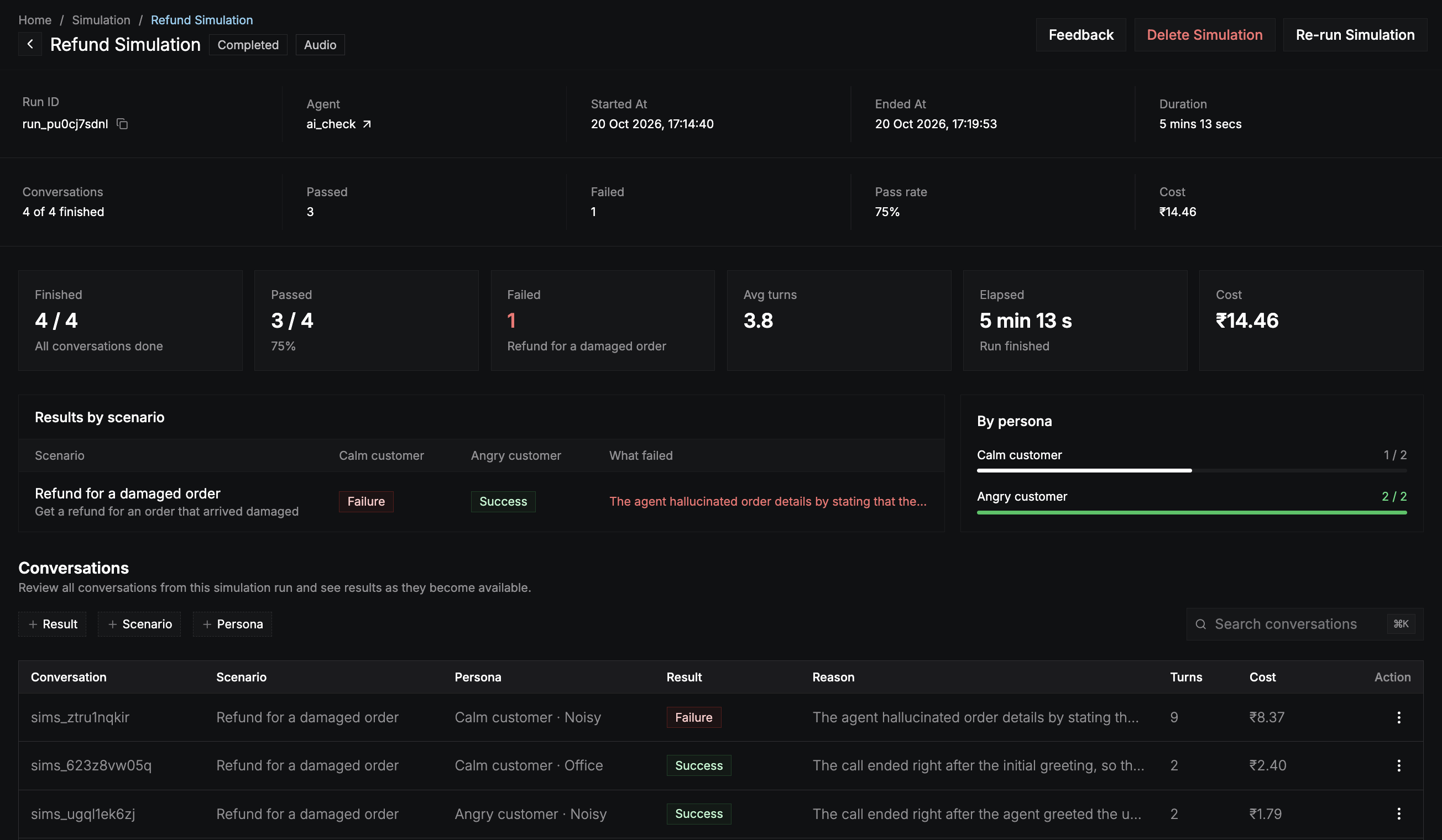
Summary
Results by scenario
A grid with one row per scenario and one column per persona. Each cell shows that pair’s result, and What failed shows the judge’s summary of the latest failure. Use it to spot whether a failure follows a scenario (a gap in the agent) or a persona (a kind of caller the agent handles badly). By persona shows each persona’s passed and judged conversations as a bar.Conversations
Every conversation in the run, with its scenario, persona (and environment in audio mode), result, the judge’s reason, turns, and cost.
Open a row’s ⋮ menu to view the conversation, its scenario, or its persona, or to delete a finished conversation and its result.
A conversation
Select a conversation to open it. Use Previous and Next to move through the run’s conversations.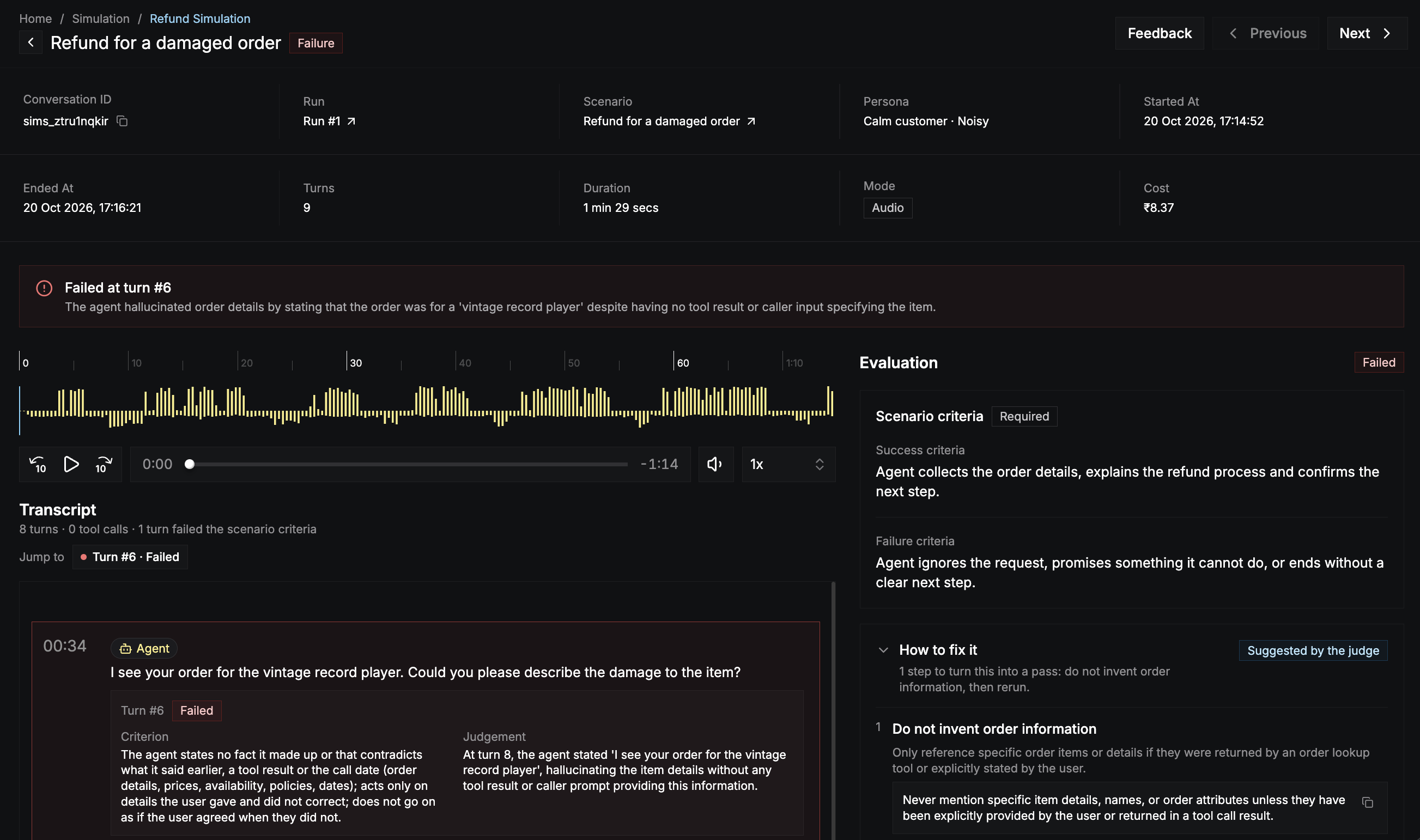
Result
A banner at the top shows the verdict, the turn that decided it (for example Failed at turn #3), and the judge’s summary of what happened.Transcript
The transcript shows every turn between the caller and your agent, with tool calls. In audio mode, a recording plays above it, and the transcript follows the audio. The judge marks the turns that mattered to the verdict:
Each marked turn shows the Criterion it was judged against and the judge’s Judgement. Use Jump to to go straight to a marked turn.
Evaluation
The Evaluation panel shows the scenario’s success and failure criteria, so you can compare them with the transcript. Evaluation starts when the conversation ends. When the judge has suggestions, How to fix it lists the steps to turn the conversation into a pass. Each step has a title, an explanation, and often an instruction you can copy into your agent’s system instructions. The panel also shows the conversation’s Agent cost, Judge cost, and total.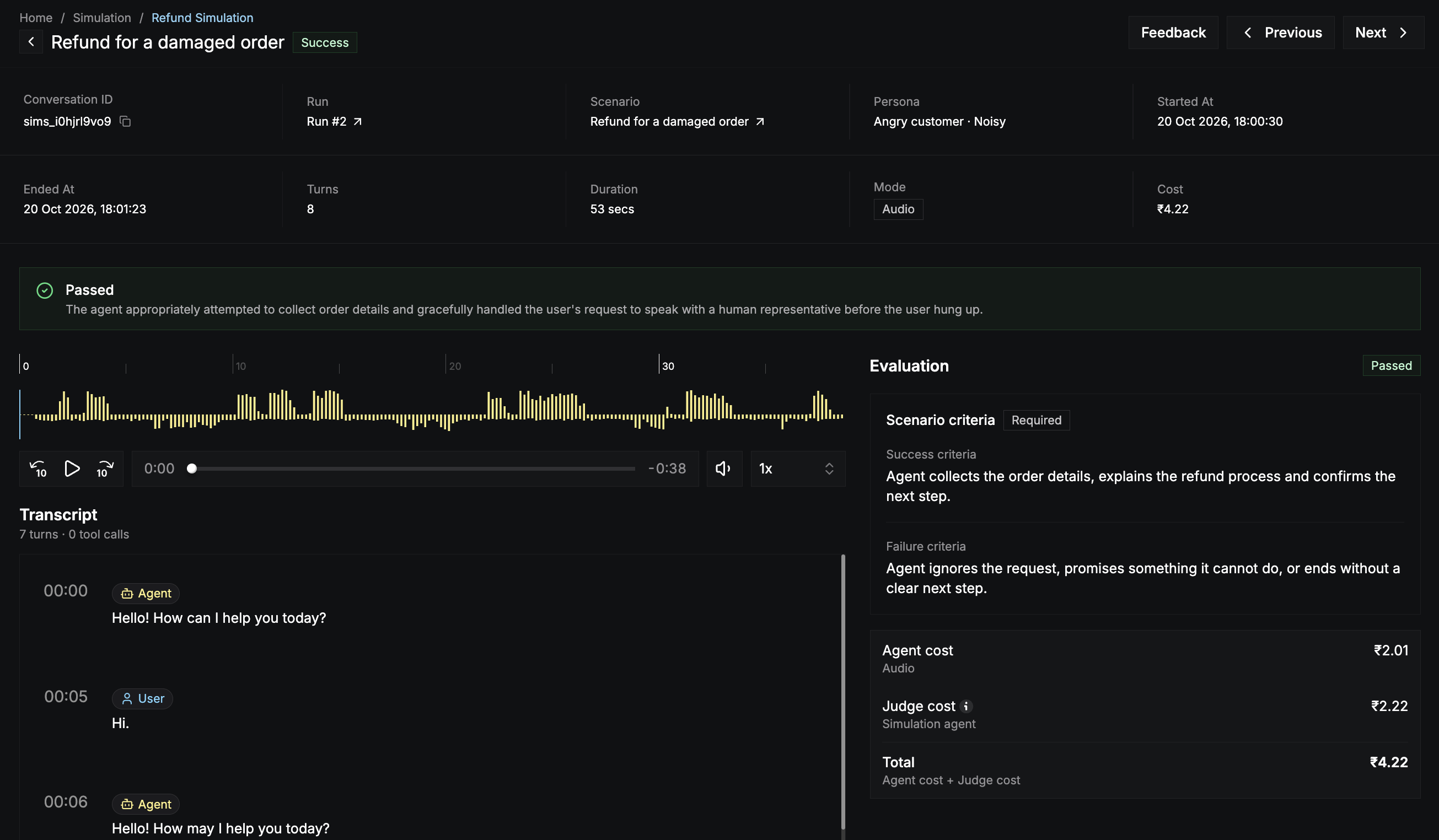
Fix and re-run
1
Apply the fix
Update the agent in the builder, for example with an instruction from How to fix it. Test it with Start Test Call if you like.
2
3
Re-run the simulation
Open the run and select Re-run Simulation. The agent, branch, mode, environments, and limits stay the same as the original. Choose which of the original scenarios and personas to include, for example only the ones that failed, then review the cost and select Re-run N conversations.
4
Compare
The re-run is a new run of the same simulation. Compare its pass rate with the previous run on the Runs tab.
Stop a run
Select Stop run on the run page, or Stop Run in the run’s ⋮ menu on the Runs tab. The confirmation shows the run’s progress, pass rate, and cost so far.- Finished conversations keep their results.
- Conversations still waiting or in progress are marked Stopped.
- You’re only charged for finished conversations.