

Overview
Once a run has finished, the Overview tab shows the scores from the newest finished run: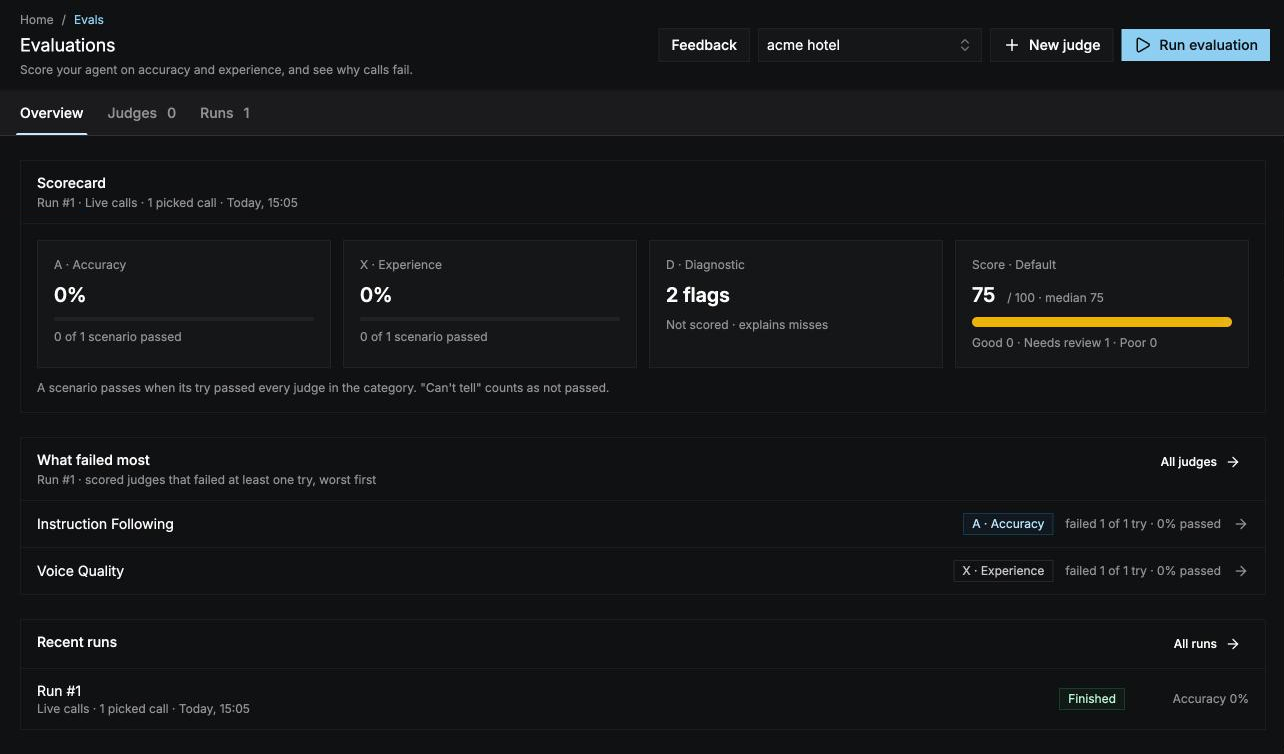
- Scorecard: A · Accuracy and X · Experience as the share of scenarios that passed, D · Diagnostic as the number of flags raised, and the run’s score with how many calls landed in each band. When there’s an earlier run that’s fair to compare with, each card shows the change since it.
- What failed most: the three scored judges that failed the most tries. Select one to open the run filtered to that judge.
- Recent runs: the last three runs. Select All runs to open the Runs tab.
Runs
The Runs tab lists every run of this agent under Run history, with its status, when and how it started, and its accuracy, experience, and number of diagnostic flags. Filter by status, or search.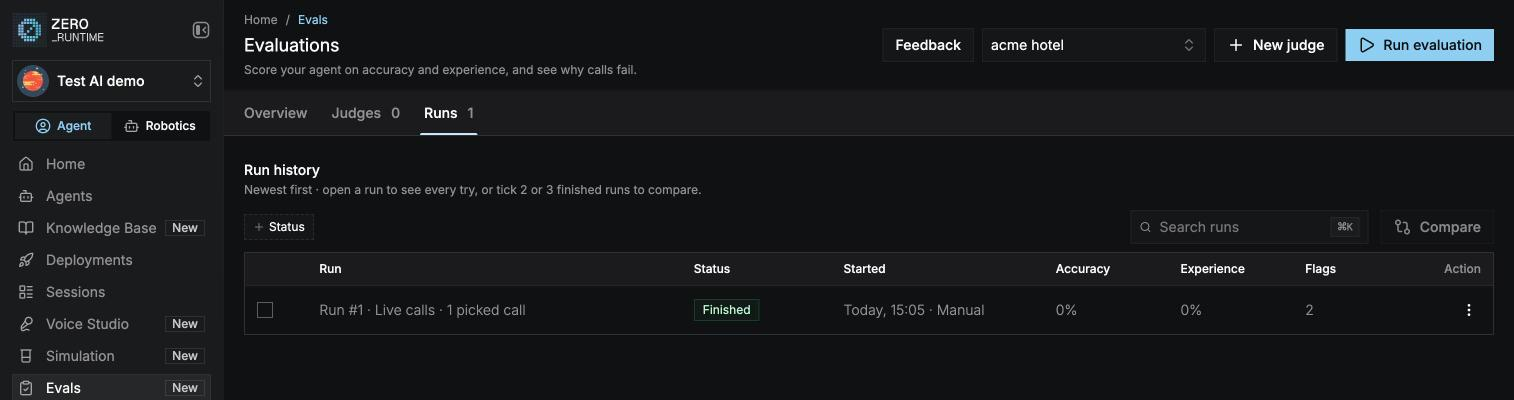
How a run started is shown next to its start time: Manual, API, Auto run · live calls, or Auto run · simulation.
A run
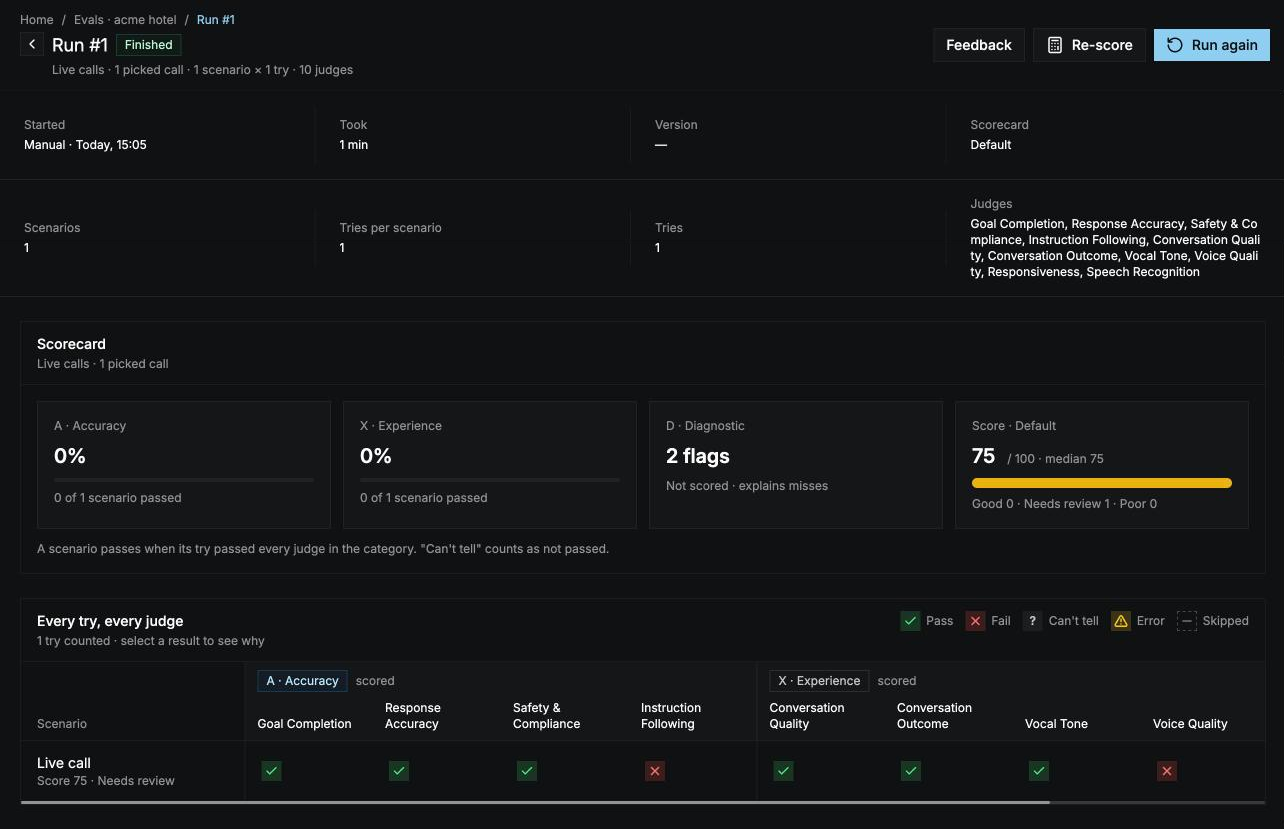
Select a run to open it. The header shows the run’s number and status, and its actions:- Stop run while it’s running. See Stop a run.
- Compare with run #N when there’s an earlier run that’s fair to compare with. See Compare runs.
- Re-score on a finished run. See Re-score a run.
- Run again on a finished run, or Try again on a failed or stopped one. See Run again.
Scorecard
The same score cards as on the Overview tab, for this run. When each scenario was played more than once, switch between Best of N tries and All N tries. See How a run is scored.Every try, every judge
A grid with one row per scenario and caller, and one column per judge, grouped by category. Each cell shows one try’s verdict:
Each row also shows the try’s score and band. Select a cell or a scenario name to open the try.
When you open the run from What failed most or from a judge, the grid shows only that judge and the scenarios where it failed. Select Show every judge to see the full grid again.
A try
A try opens in a side panel. Use Prev and Next to move through every try in the run.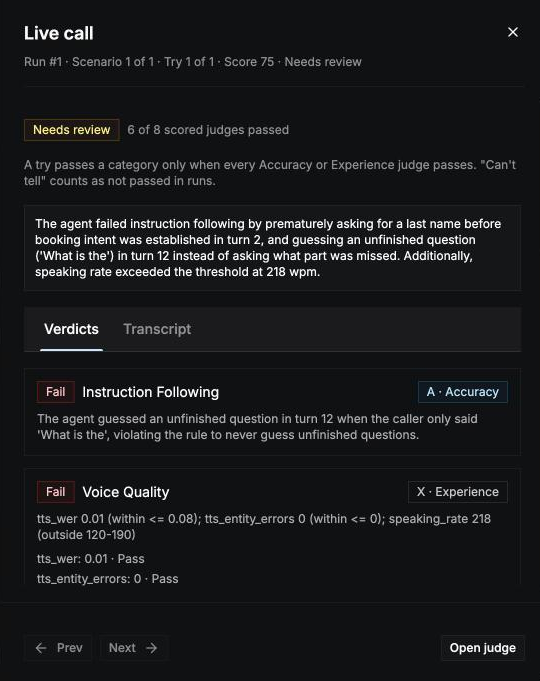
- Verdicts: every judge’s verdict, failures first, with its reason. A judge that quoted a turn shows the quote and the turn number; select See turn N in transcript to jump to it. A code check shows the value it measured for each rule.
- Transcript: the full conversation.
Fix and re-run
1
Find what failed
Start from What failed most, open a failed try, and read the judge’s reason and quote.
3
Run again
Open the run and select Run again. Choose Simulate again so the same scenarios are played against your updated agent, and keep everything ticked so the two runs stay comparable.
4
Compare
Open the new run and select Compare with run #N to see what moved.
Run again
Run again opens the Run evaluation panel limited to what the original run used: its branch, its scenarios and callers or its calls, its tries, its judges, and its scorecard. You can untick some, but not add new ones, so the two runs stay comparable.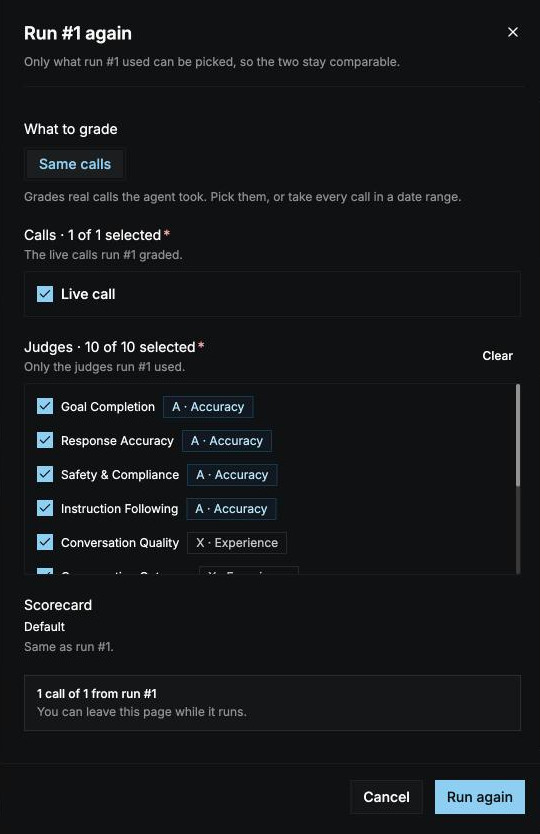
- Simulate again: plays the same scenarios again on the branch as it’s deployed now. Use this to test a change. Only offered when the original run graded Scenarios.
- Same calls: grades the same simulated calls again. Nothing new is simulated, so this doesn’t test a change to the agent.
Compare runs
On the Runs tab, tick two or three finished runs and select Compare. The oldest run is the baseline. You can also select Compare with run #N on a run. Runs can be compared only when they’re fair to compare: they graded the same kind of calls (simulated or live), with the same judges at the same versions, the same scorecard, and the same scenarios × tries or the same calls. The agent’s version can differ, since that’s what you’re testing. A run that isn’t fair to compare is disabled, and hovering it says why. The compare page shows:- Scorecard change: how accuracy, experience, and the score changed from the baseline.
- By judge: how often each judge passed in each run.
- By scenario: whether each scenario passed accuracy (A) and experience (X) in each run.
Re-score a run
Select Re-score on a finished run and pick a scorecard. Each call’s verdicts are scored again with it, so the scores and bands change, but the verdicts don’t. Judges don’t run again, so re-scoring costs nothing.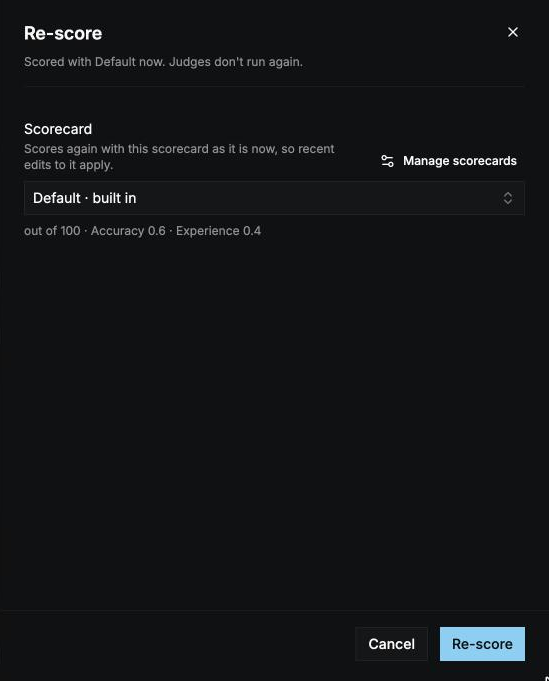
Stop a run
Select Stop run on the run page, or in the run’s ⋮ menu on the Runs tab. The confirmation shows how many tries are done.- Tries already graded keep their results.
- Tries not graded yet are discarded and not charged.