

Choose what to grade
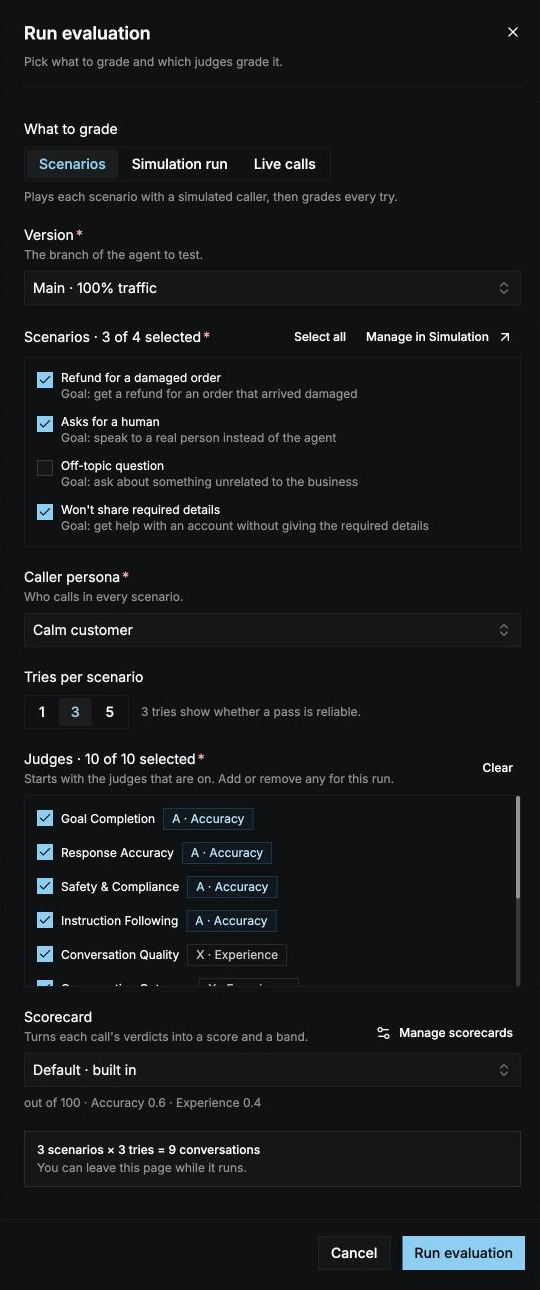
Under What to grade, choose one:Scenarios
1
Version
Choose the branch of the agent to test. It defaults to the branch serving live traffic. Agents deployed to Zero Runtime Cloud have no branches, so this field doesn’t appear for them.
2
Scenarios
Tick the scenarios to play, or select Select all. Select Manage in Simulation to add or edit scenarios.
3
Caller persona
Choose the persona who calls in every scenario.
4
Tries per scenario
Choose 1, 3, or 5. Defaults to 3.
- 1 try is the quickest check.
- 3 tries show whether a pass is reliable.
- 5 tries catch rare failures.
Simulation run
Pick a finished simulation run of this agent. Every conversation that ended is graded. You can’t pick conversations one by one. If the simulation run is still going, the conversations that haven’t ended are left out.Live calls
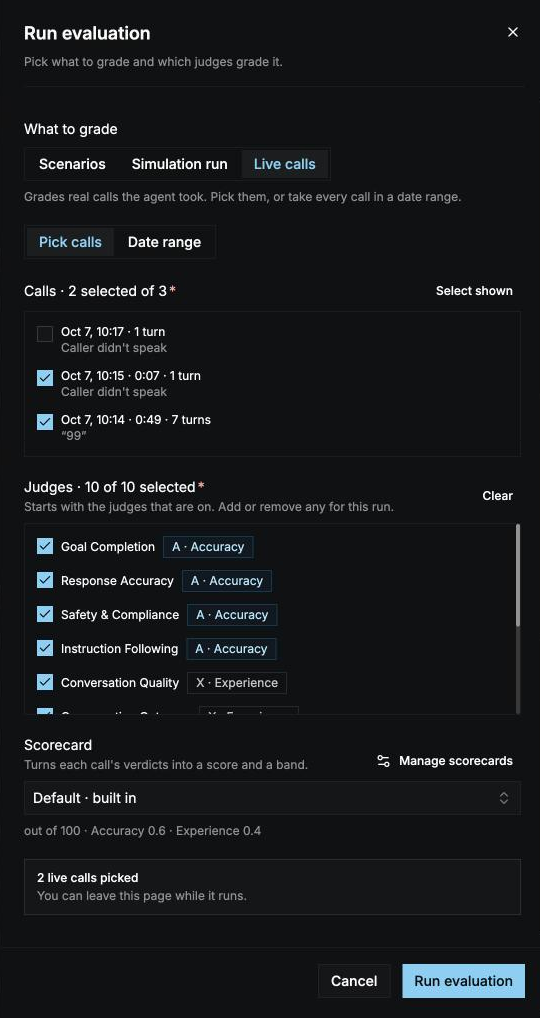
Choose how to pick the calls:- Pick calls: tick calls from the agent’s call list, newest first. Each call shows when it happened, how long it lasted, its number of turns, and the caller’s first words. Select Load more calls to see older ones.
- Date range: every call from the last 24 hours, 7 days, or 30 days, up to 50, 100, 250, or 500 calls.
Pick the judges
Under Judges, tick the judges that grade this run. The list starts with the judges that are on auto run for this agent. Add or remove any judge for this run only. Pick at least one.Pick the scorecard
Under Scorecard, choose how each call’s verdicts become a score. It starts on the scorecard the agent’s auto run uses, or Default. Select New scorecard in the dropdown to create one. See Scorecards.Start the run
The bottom of the panel sums up what will run, for example 4 scenarios × 3 tries = 12 conversations, or says what’s still missing. Select Run evaluation to start. You go straight to the run, where scores appear when every try is graded. You can leave the page while it runs. See Review results.Grade calls automatically
Auto run grades this agent’s calls without you starting a run. Set it up in the agent builder: open the agent and select the Evals tab. For an agent deployed to Zero Runtime Cloud, open the deployment and select its Evals tab.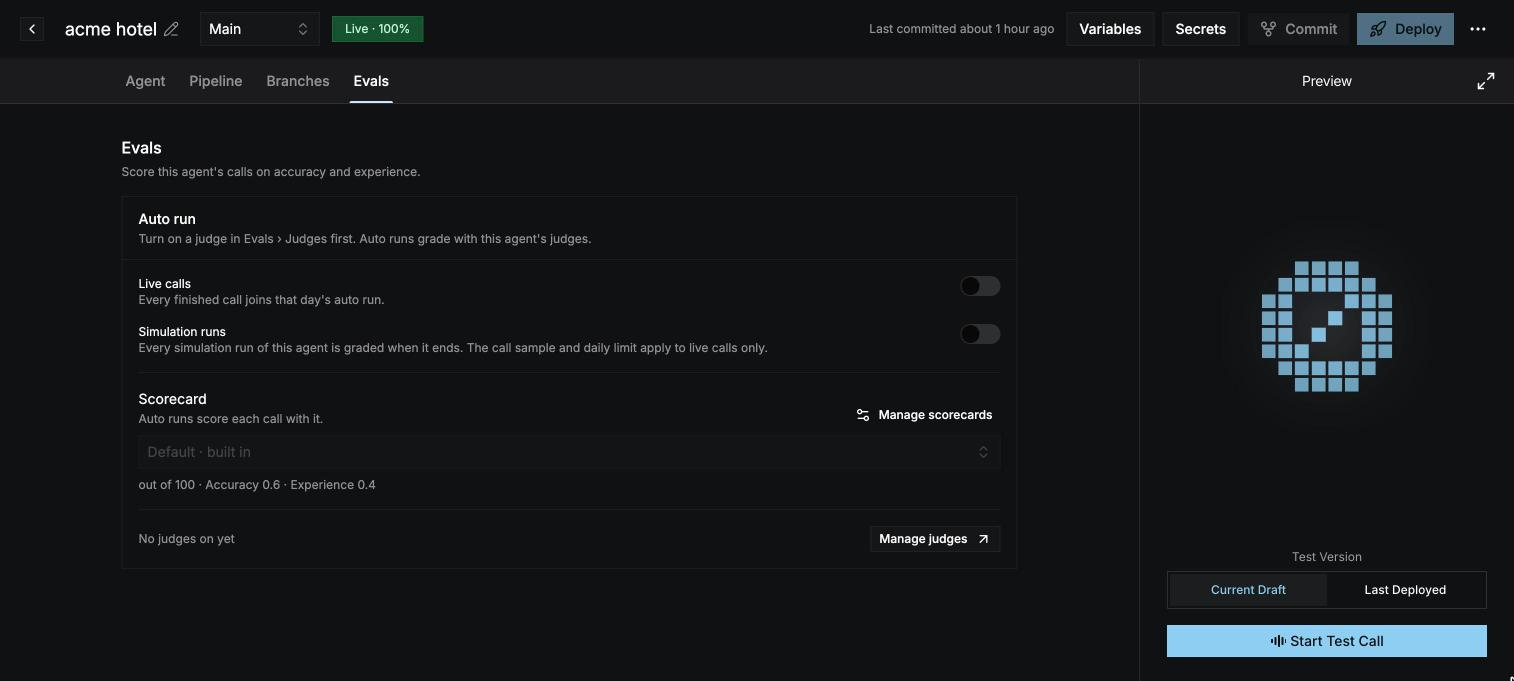
Auto runs grade with the judges that are on for this agent. The tab lists them; select Manage judges to change them on the Judges tab. You need at least one judge on before you can switch auto run on.
Auto runs show up on the Runs tab as Auto run · live calls or Auto run · simulation.